Bluetooth Is Convenient. Your Musical Needs a Wired Playback Plan
By Broadwaytrax Content Studio · September 4, 2026
Updated September 4, 2026
The short answer: use a wired connection for a musical-theater performance whenever the backing track is carrying a cue, entrance, dance break, scene change, or any other moment the show cannot afford to lose.
Bluetooth is useful for casual listening and some rehearsals. It is a weak final link for live theater because the connection can add delay, reconnect to the wrong device, drop unexpectedly, or change when a phone or computer receives a new instruction. A cable does not make a playback plan perfect, but it gives the operator a direct signal path the production can see, test, label, and reproduce.
The goal is not to buy the most complicated audio system. It is to build the simplest path your team can prove from the playback file to the audience.
Bluetooth or wired: which is better for theater backing tracks?
For public performance, wired playback is usually the practical choice.
| Question | Bluetooth playback | Wired playback |
|---|---|---|
| Can the operator see the whole signal path? | Not completely | Yes, from device to cable to mixer |
| Can another nearby device affect pairing? | Potentially | Not after the physical path is connected |
| Is delay predictable enough for a cue? | It can vary by devices and processing | Usually stable when the same tested equipment is used |
| Can a volunteer diagnose silence quickly? | Pairing may be one of several hidden causes | Connections can be traced in order |
| Is it useful for casual rehearsal listening? | Often | Yes |
| Is it the strongest performance default? | No | Yes |
This does not mean every cable is automatically reliable. A loose adapter, damaged connector, noisy headphone output, unpowered interface, or mislabeled mixer channel can still fail. The advantage is that each part can be checked before the house opens.
Build one visible signal path
Write the playback chain in the order the sound travels. A common small-theater setup might be:
- locally stored performance file;
- dedicated laptop or tablet;
- tested audio output or approved adapter;
- short, secured cable;
- direct box or audio interface when the system needs one;
- labeled mixer input;
- house speakers and stage monitors.
Use the equipment your venue and sound lead already understand. The exact connector may differ, but the production should be able to point to every link and name what happens if that link stops working.
Avoid a chain built from mystery adapters collected at the last minute. If a USB-C, Lightning, headphone, or other adapter is required, treat it as part of the show equipment. Label it, secure it from movement, and keep an identical tested spare when practical.
The Broadwaytrax (sound-check checklist) can help the team test the complete path rather than judging the file through laptop speakers.
Keep the performance file local
A wired cable solves only the physical connection. The file itself should also be ready without depending on a website, personal account, cloud sync, or venue Wi-Fi.
Before tech, place the approved accompaniment files in one performance folder on the primary device. Number them in show order and remove old keys, old cuts, guide-vocal versions, and test exports from the active folder.
Then confirm:
- every file opens while the device is offline;
- the operator can identify the correct track without searching;
- sleep, screen-lock, notification, and automatic-update behavior will not interrupt playback;
- the device has stable power for the full call;
- and the same approved files exist on the backup device.
Do not assume a downloaded file is the approved file. Match the filename, duration, key, cut, ending, and cue-sheet entry.
Why Bluetooth delay matters onstage
A small delay may be unremarkable when someone is listening in a room. It becomes visible when an actor waits for a sting, a dancer leaves on a count, a scene change lands under a fixed vamp, or the stage manager calls the next cue from a musical landmark.
The problem is not only the number of milliseconds. It is uncertainty. If the operator presses play and the audible start does not arrive with the same timing every time, performers and crew cannot build one shared cue.
Do not solve that uncertainty by telling the operator to press early. An early press replaces one unpredictable relationship with another. Use a direct wired path, then write the cue against the sound the room actually hears.
Test the route from the operator's real position
The final check should use the performance device, cable, interface or direct box, mixer input, operator location, sound system, and show file.
Run at least these moments:
- the quietest first note;
- the densest ensemble section;
- a cue released from dialogue;
- a dance or movement entrance;
- a stop, fade, vamp, or button ending;
- a transition under scenery or applause;
- and one internal restart point.
Ask the operator to begin each test from the same screen and state used in performance. A cue is not proved when the right file was already open for the sound check but will be buried in a different playlist during the show.
Use the Broadwaytrax (operator handoff plan) to make sure a second trained person can reproduce the same steps.
Secure the cable without creating a new hazard
The cable should not dangle from an adapter, cross a walkway without protection, or sit where a chair, rolling rack, or hurried crew member can pull it loose.
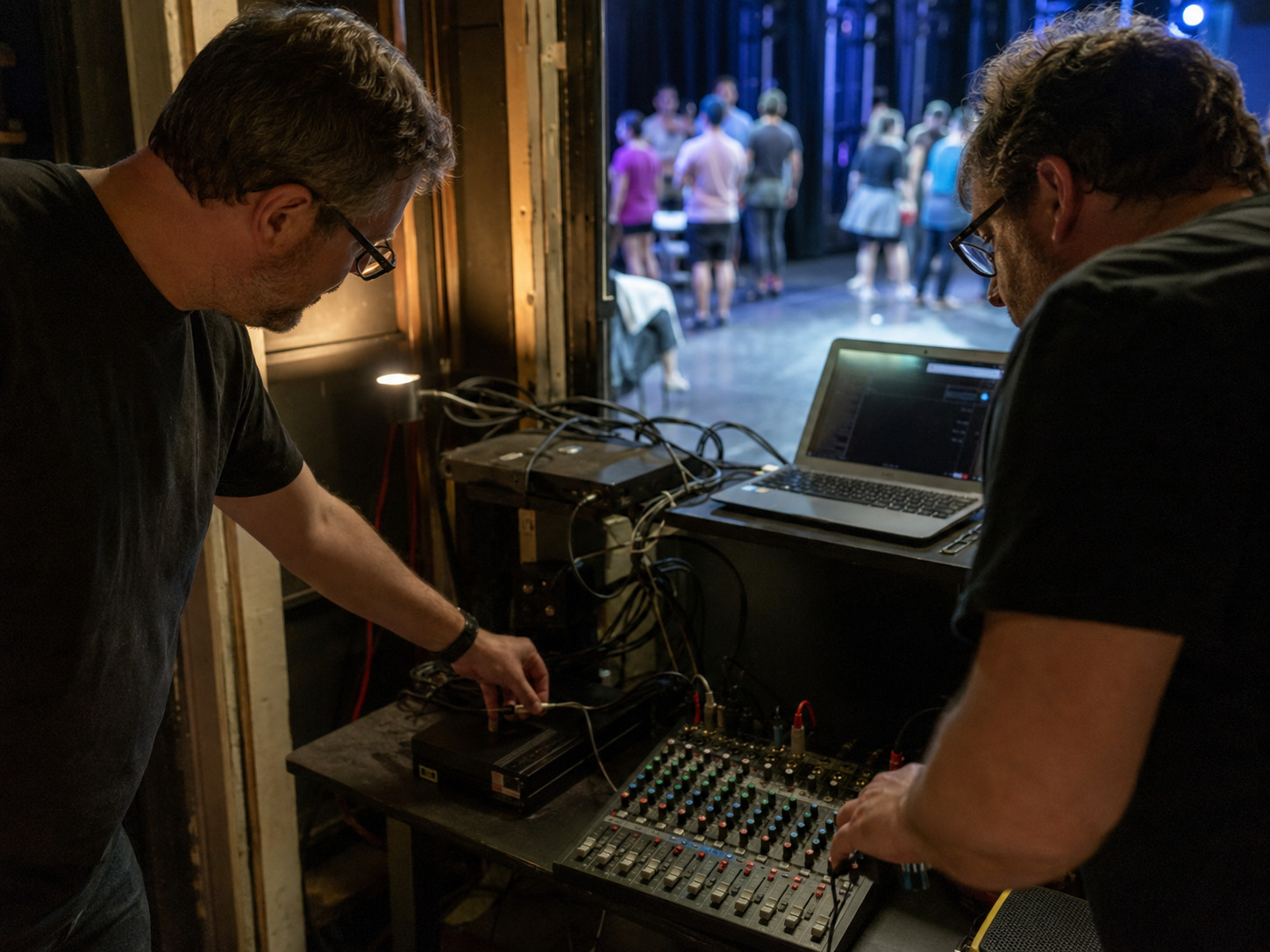
Work with the venue's sound and safety leads to:
- provide strain relief at the playback device;
- keep adapters supported rather than hanging;
- route cables away from traffic;
- use appropriate cable covers or secure routing where paths cross;
- label both ends;
- and leave enough slack for normal operation without creating a loop people can catch.
Do not tape over a problem you have not diagnosed. Noise, intermittent audio, or a connector that moves inside the jack needs repair or replacement, not a more determined piece of tape.
Decide what Bluetooth is allowed to do
Bluetooth can still have a limited job.
It may be useful for:
- playing a reference track during a table read;
- reviewing choreography in a rehearsal room;
- letting a director compare two temporary options;
- or providing low-stakes listening when precise timing is not being tested.
Name that boundary clearly. If the cast has rehearsed through a Bluetooth speaker, do not let convenience quietly turn that speaker into the performance system. Moving into the theater should trigger a fresh check through the actual wired path.
Prepare a backup that does not share the same failure
A second copy of the files on the same device is not a complete backup. A useful recovery plan includes a second tested playback device, the same approved file order, its own compatible output path, and a documented way to connect it to the mixer.
Whenever possible, avoid making both devices depend on the only copy of one fragile adapter. Test the changeover while everyone is calm:
- stop the failed path;
- identify the stage reset;
- connect or unmute the backup path;
- open the named restart point;
- receive the stage manager's release;
- and continue from the shared plan.
The (opening-night playback backup guide) explains how to turn stored files into a recovery the company has actually rehearsed.
A five-minute pre-show playback check
Use the same short sequence before every performance:
- Confirm the primary and backup devices have power.
- Put both devices in the approved show state.
- Verify the wired connection and labeled mixer channel.
- Play a short section of the first cue.
- Check the quietest important entrance.
- Confirm the operator hears the stage manager or cue owner.
- Confirm no guide-vocal or old-version file is active.
- Return the system to the exact top-of-show position.
Record any change. A substitute cable or adapter becomes the new performance path only after it has been tested through the room.
FAQ: wired and Bluetooth theater playback
Can a musical use a Bluetooth speaker for rehearsal?
Yes, when the session is casual and precise cue timing, balance, and performance reliability are not being tested. Move to the actual wired venue system before making final decisions about entrances, levels, or edits.
Does a wired connection remove all audio delay?
Not necessarily. Playback software, audio processing, digital mixers, and other equipment can still add delay. A stable wired chain makes the path easier to measure and reproduce. Test the exact system rather than assuming.
Should the theater use the laptop headphone output?
Use the output path approved by the venue's sound lead and tested with the actual mixer. Some productions use an interface or direct box; others use a simpler output. The important questions are compatibility, clean signal, secure connection, repeatability, and a tested backup.
What should happen if the cable is pulled during a number?
The stage manager, operator, and performers should follow the rehearsed stop-or-continue rule. Do not improvise a restart while different people are making different assumptions. Name the safe reset and release before performance.
Can the operator keep a phone connected as an emergency source?
Only if the production has intentionally tested that phone, its notifications and lock behavior, the approved files, the connection, and the recovery cue. A personal phone with an untested playlist is not a dependable backup.
The useful standard
Build performance tracks around your cast, keys, cuts, tempos, vamps, counted lead-ins, transitions, and cue structure, then give your operator final files that fit the production you are staging.
Plan Custom Performance TracksThe best playback connection is not the newest or most convenient. It is the one the production can trace, test, secure, repeat, hand to a second operator, and recover under pressure.
For most musical-theater performances, that means locally stored files and a wired path into the sound system. Keep Bluetooth in the rehearsal jobs it can serve well, and keep the show on a connection the whole team can prove.