A Second Playback Operator Should Inherit the Same Show
By Broadwaytrax Content Studio · September 3, 2026
The short answer: if more than one person may run a musical's backing tracks, every operator should inherit the same approved files, cue language, restart points, and show authority before anyone takes the booth alone.
A substitute operator should not have to reverse-engineer the production from a playlist. The handoff needs to explain what starts each cue, what the cast expects to hear, which moments can wait, who makes the final call, and how the show recovers when something changes.
That preparation matters for schools, community theaters, touring groups, camps, and any production where one person's absence could otherwise change the musical system overnight.
Begin with one show, not two personal setups
Two operators may prefer different devices, keyboard shortcuts, or screen layouts. The production still needs one shared show.
Before alternating operators, agree on:
- the final performance folder;
- cue numbers and show order;
- filenames that identify the musical job;
- the approved key, cut, tempo, lead-in, and ending for each number;
- who calls each cue;
- which cues can wait for a live signal;
- which files continue at a fixed pace;
- the primary and backup playback paths;
- and the person authorized to approve a replacement file.
Personal notes can add detail, but they should not contradict the shared cue map. If one operator calls a file “Track 7” and another calls it “Dance Break Final,” the handoff is already carrying unnecessary risk.
What should a playback-operator handoff include?
Use one row for every cue the operator may need to run.
| Field | What it should tell the next operator |
|---|---|
| Cue number | Where the cue sits in the production sequence |
| Exact filename | Which approved file to open |
| Trigger | The line, gesture, conductor preparation, or stage-manager call that releases playback |
| First audible landmark | What the cast expects to hear first |
| Playback note | Level, fade, stop, vamp, split-file, or transition instruction |
| Ending | Whether the file runs to a full ending, fades, stops on a call, or hands off to another cue |
| Restart point | The safest musical and staging landmark if a recovery is needed |
| Next dependency | The lighting, scenic, microphone, dialogue, or movement cue that follows |
Write cues so a person who did not create them can run them. “Go when ready” is not a trigger. “Stage manager calls Q27 after the actor clears the platform; file begins with a two-bar count-in” gives the operator something observable.
For a deeper technical pass, use the (musical-theater cue-to-cue plan) to test triggers, entrances, restart points, and department handoffs with the staged production.
Keep the stage manager, music director, and operator roles separate
The operator runs playback. That does not automatically make the operator the person who decides how the show should proceed.
A practical authority map looks like this:
| Role | Primary decision |
|---|---|
| Stage manager | Calls the cue, hold, continuation, or restart under the production's show protocol |
| Music director or conductor | Defines musical landmarks, count-ins, cuts, and safe restart points |
| Playback operator | Runs the approved file, monitors the playback path, and reports what the system can do |
| Sound operator | Manages the room's audio path, balance, microphones, monitors, and speaker output when that role is separate |
| Director or producer | Approves production changes through the team's normal process |
One person may cover more than one job in a small production. The decisions still need names. A substitute operator should know whether a conductor gesture, a stage-manager “go,” or a visual action releases the track.
Build the handoff around listening landmarks
Waveforms and timecodes help, but the stage works in human landmarks.
For every important cue, identify what the operator, cast, and crew can recognize:
- a counted lead-in;
- a pickup note;
- the first orchestral hit;
- the start of a verse or chorus;
- a dance-break rhythm;
- a scene-change texture;
- a button;
- or the silence that follows a full ending.
Then connect the landmark to the stage action. If the cast enters after four counts, say who prepares the entrance. If a transition track covers a scene change, note what must be complete before the file ends. If dialogue follows a button, identify whether the actor speaks immediately or waits for a cue.
This is also where (custom backing tracks) can reduce ambiguity. A counted lead-in, tailored cut, extended transition, vamp, clean button, or adjusted tempo can make the intended handoff audible. The production still has to document and rehearse how that file enters the show.
Give the second operator a structured shadow call
Watching one run from the back of the room is not enough.
Use three passes:
- Observe the complete path. The primary operator runs while the second operator follows the cue sheet and marks questions.
- Run selected sequences. The second operator takes the controls for difficult entrances, transitions, dance breaks, underscoring, and any cue with a live release.
- Run the show system. The second operator handles a full invited run, dress rehearsal, or other approved proof call while the primary operator observes without quietly rescuing every uncertainty.
After each pass, revise the shared cue sheet—not a private copy. If the second operator cannot tell why a cue started, the documentation needs work even when the primary operator can run the moment from memory.
Test the exact booth and sound path
A handoff is not complete until the next operator has used the system that will carry the performance.
Verify:
- how the device wakes, opens, and stays ready;
- where the approved show folder lives;
- how cue order is displayed;
- which output feeds the sound system;
- what the operator hears in the booth;
- what the cast hears onstage;
- how levels, mutes, and routing are confirmed;
- what visual contact exists with the stage manager or conductor;
- how the backup is reached;
- and how the system is left at the end of the call.
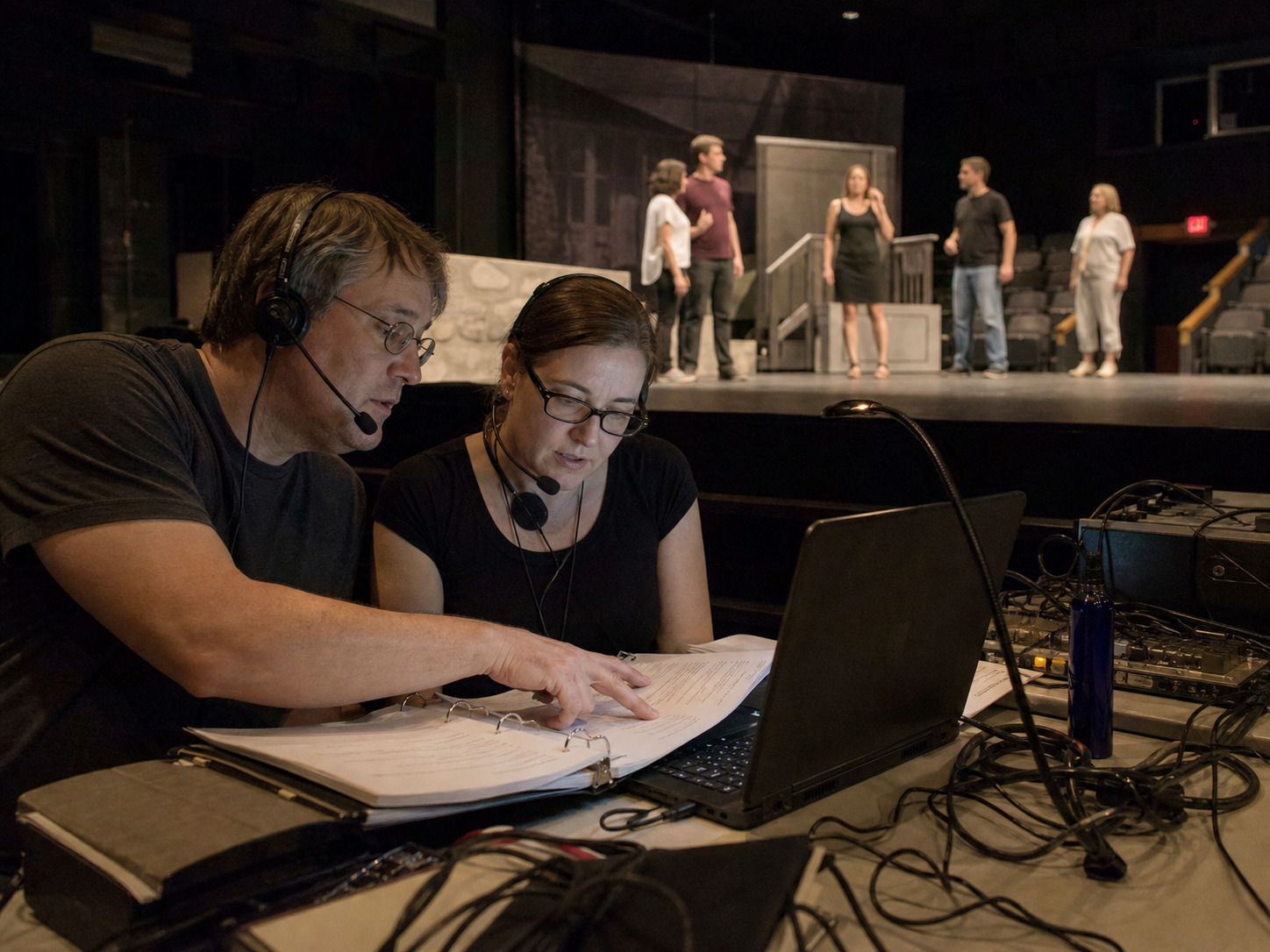
The recent (backing-track sound-check checklist) is useful here because it tests the whole path the performance will use, not just whether a file can make sound.
Make the backup handoff independent enough to matter
A second operator is not a backup if only the first operator knows how the backup works.
The alternate operator should be able to:
- locate the matching backup folder;
- confirm that it contains the same approved files;
- connect or select the backup path;
- identify the current cue;
- move to a documented restart point;
- report readiness to the stage manager;
- and leave the primary system untouched when diagnosis is still in progress.
Do not mix guide vocals, rehearsal mixes, old exports, and performance files inside the active show folder. Both operators should be able to distinguish rehearsal support from the accompaniment used in performance without opening several files and guessing.
Record changes between performances
Rotating operators creates one more reason to control revisions.
When a file changes, record:
- the prior filename and version;
- the new filename and version;
- the exact musical change;
- who approved it;
- when it was loaded on the primary and backup systems;
- which cue was rerun;
- and which operators have completed the updated handoff.
Avoid replacing a live file silently. If Saturday's operator receives a new ending and Sunday's operator still has the earlier export, the show no longer has one approved musical system.
Use a five-minute preshow operator exchange
Even when the same person has run the show before, begin each shift with a short handoff.
Confirm:
- the current performance folder and version;
- any notes from the previous performance;
- cast, cue, microphone, scenic, or timing changes that affect playback;
- the primary and backup status;
- the first cue and first live release;
- who is calling the show;
- and the exact moment control passes to the incoming operator.
Keep the exchange factual. “Everything was mostly fine” is less useful than “Q18 ran correctly; Q27 waited longer for the scene change; no files changed; backup path passed preshow.”
Playback-operator handoff checklist
- Use one approved performance folder on primary and backup systems.
- Keep cue numbers, filenames, triggers, endings, and restart points in one shared map.
- Name the show authority for every live release, hold, continuation, and restart.
- Teach audible landmarks, not only screen locations.
- Give the next operator a structured observe, practice, and proof-run sequence.
- Test the actual booth, output, monitors, and communication path.
- Remove rehearsal mixes and superseded exports from the active show folder.
- Document every file revision and rerun the affected cue.
- Exchange current performance notes before control changes hands.
- Let the incoming operator complete a real preshow check.
FAQ: rotating musical-theater playback operators
Can a stage manager also run the backing tracks?
Sometimes, especially in a small production, but the combined workload must be realistic. The person still needs clear cue authority, a usable control position, and enough attention to monitor both the stage and playback. Test the combined role in a full run before relying on it in performance.
Does the substitute operator need to attend every rehearsal?
Not necessarily. The operator should attend enough music, staging, technical, and proof-run work to understand the live cues they will execute. The more a number depends on action, conductor timing, scene changes, or audience response, the more important direct rehearsal becomes.
Should each operator have a different cue sheet?
Use one controlled production cue sheet. Operators may add personal reminders, but shared cue numbers, files, triggers, endings, and restart points should remain consistent.
What if the operators prefer different software?
Preference matters less than repeatability. If different systems are used, both must preserve the same approved files, cue order, output quality, restart plan, and operator readiness. A production should not discover software differences during a handoff.
When should the second operator take a full run?
Before the first performance they may need to cover. Choose an approved dress, preview, invited run, or other complete proof call with the full cue path, staged action, sound system, and show authority present.
The useful test
If your handoff exposes a repeatable key, cut, tempo, lead-in, ending, cue, or transition need, Broadwaytrax can shape the files around the approved production plan.
Build a Reliable Track PlanAsk the incoming operator to set up the show, describe the first five cues, run one difficult transition, find a restart point, and reach the backup without help.
If the handoff only works while the primary operator is standing beside them, it is still training. When either operator can run the same approved show from the same shared plan, the production has a reliable playback team instead of one irreplaceable memory.