Opening Night Needs a Playback Backup You Have Actually Rehearsed
By Broadwaytrax Content Studio · July 17, 2026
Updated July 17, 2026
A backup is only useful if it can take over the show without creating a second emergency.
For musical theater backing-track playback, that means more than keeping another copy of the audio somewhere. The backup system should contain the same approved files, in the same cue order, with a tested audio connection and a person who knows exactly when to switch.
The practical standard is simple: the production should rehearse the recovery before an audience is in the room.
Start with one final performance folder
Do not build the backup from an old rehearsal laptop, a long downloads folder, or a collection of files gathered across several weeks.
Create one approved performance folder after the music director, stage manager, sound operator, and production team have confirmed the show versions. It should contain only the files that may be called during the performance.
Use file names that answer the operator's immediate questions:
- cue number;
- song or scene name;
- performance version;
- key or cut when it prevents confusion;
- revision date or version number.
For example, a name such as Q17_Finale_Performance_v4.mp3 is more useful under pressure than final-final-new.mp3.
If the show still has unresolved keys, cuts, tempos, lead-ins, vamps, or endings, finish those decisions before copying the backup. (Broadwaytrax custom-track support) can help shape the file around the production's actual cue and staging needs.
Match the primary and backup systems
The operator should not have to learn a new workflow during a failure.
| Primary system | Backup should match |
|---|---|
| Approved show folder | Same approved files and version names |
| Playlist or cue order | Same order and cue numbering |
| Audio connection | Tested route to the same mixer or an approved alternate input |
| Output level | Sound-checked level that will not surprise the room |
| Start and stop method | Controls the operator has practiced |
| Show notes | Current cue sheet and recovery instructions |
The devices do not need to be identical, but the handoff should feel familiar. If the backup uses a different app, connector, or output, rehearse those differences until the operator can make the change without searching.
A second device is better than a second folder
A backup folder on the same computer protects against a missing file. It does not protect against a frozen device, broken charging cable, damaged audio port, or an operating-system interruption.
For performance use, prepare a second charged device with the final show files stored locally. Keep it connected or positioned so the approved audio route can be reached quickly. Silence notifications, disable avoidable interruptions, and make sure the files play without depending on venue Wi-Fi.
The production does not need a complicated duplicate booth. It needs a tested path from the backup file to the sound system.
Write the switch point into the cue plan
The hardest part of a playback failure is often not the technology. It is deciding whether to stop, restart, skip, or continue.
Before tech ends, agree on answers to these questions:
- Who calls the switch to backup?
- Who operates the backup device?
- Does the stage pause, continue in silence, or hold on an agreed line or visual cue?
- If the number restarts, which musical landmark is safe?
- If the number continues, which next cue becomes the recovery point?
Add the decisions to the same (track cue sheet the sound operator uses before tech). The recovery plan belongs beside the cue, not in a separate document nobody can find during the show.
Rehearse three useful failure scenarios
You do not need to manufacture every possible disaster. Practice the failures that would force the team to make a real decision.
The primary device stops before the cue
Run the backup from silence. Confirm that the operator can find the correct cue, route the audio, set the tested level, and start on the stage manager's call.
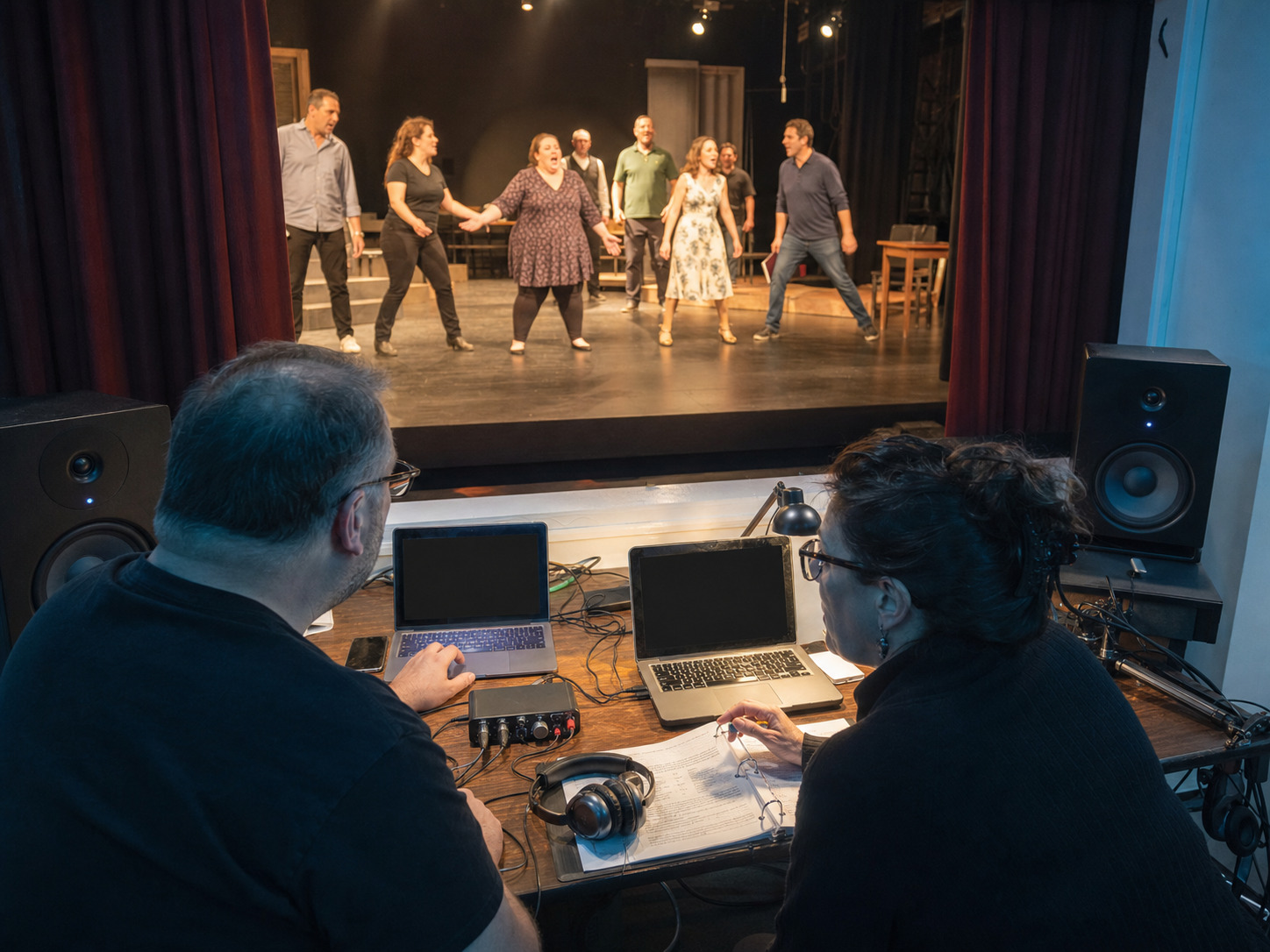
Playback stops during a number
Choose one number with a clear landmark. Practice the agreed stage response and restart point so the cast, operator, and stage manager know whether the room holds, continues, or resets.
The regular operator is unavailable
Have the designated second operator run several cues from the current playlist and cue sheet. A backup device does not help if only one person understands the show.
These drills should feel calm and boring by the end. That is the goal.
Run a short pre-show playback check
Before the house opens, confirm the system that will actually run the performance.
- Open the final show playlist on both devices.
- Check that the first, middle, and last cues load.
- Listen to the primary output through the real sound system.
- Test the backup audio route at the approved level.
- Confirm charging and power for both devices.
- Close unrelated apps and silence notifications.
- Place the current cue sheet within reach.
- Confirm who is operating and who calls a recovery.
Do not use the pre-show check to make an untracked creative revision. If a file changes, copy the new approved version to both systems and recheck that cue.
Protect version control after tech
Late changes are where a reliable backup can quietly become stale.
When the music director approves a new file:
- replace the prior performance version on the primary system;
- replace it on the backup system;
- keep the cue number and naming pattern consistent;
- note the revision on the cue sheet;
- play the start, edited section, and ending from both devices.
Never assume that copying the file is the same as testing it. The wrong version can open correctly and still carry the old cut, key, tempo, or ending.
FAQ: backing-track playback backups
What is the minimum useful backup for a musical theater performance?
A second charged device with the approved performance files stored locally, the same cue order, a tested audio route, and an operator who has practiced the switch.
Should the backup use the same playlist as the primary device?
Yes, whenever practical. Matching cue numbers, order, names, and show notes reduces decisions during a failure.
How often should the backup be updated?
Every time an approved performance file changes. Update both systems, record the revision, and test the edited cue from start through ending.
Do we need to rehearse an actual playback failure?
Yes. One short recovery drill during tech can expose missing files, confusing names, untested cables, unclear authority, and a restart point the cast does not recognize.
Can custom track work make playback recovery easier?
It can help when the standard file needs a clear lead-in, clean cut, adjusted tempo, usable vamp, cue-specific ending, or production-specific orchestration. The most important step is approving one final version and copying that exact file to both systems.
If the approved show version needs a cleaner cut, lead-in, tempo, cue, ending, or orchestration adjustment, build the performance file before the backup system is copied. Broadwaytrax can support single-track edits, custom productions, and full-show packages around the version your production will actually run.
Plan the Final Performance TrackThe takeaway
A show backup should not be a mystery folder waiting for a crisis. Build it from the approved performance files, match the cue order and audio route, assign the recovery decision, and practice the handoff during tech. When the backup has already been rehearsed, a playback problem becomes a production cue the team knows how to handle.