An Orchestration Change Should Solve a Stage Problem, Not Just Sound Different
By Broadwaytrax Content Studio · September 7, 2026
Updated September 7, 2026
The short answer: change a musical-theater backing-track orchestration when a specific staging, performer, room, or live-musician need cannot be solved by balance alone.
An orchestration change should make the production easier to rehearse and more dependable to perform. It should not begin with a vague request to make the track “bigger,” “smaller,” or “more modern.” Those descriptions name a feeling, but they do not tell an arranger what the stage needs.
A useful request identifies the musical moment, the people or instruments involved, the problem the current arrangement creates, and the behavior the revised track must support. That gives the production team something it can hear, test, and approve.
What is an orchestration change in a backing track?
Orchestration is the choice and use of instruments inside an arrangement. A custom orchestration change can alter which instruments carry the melody, rhythm, harmony, color, or cue information without changing the song’s basic purpose.
In a theater production, that might mean:
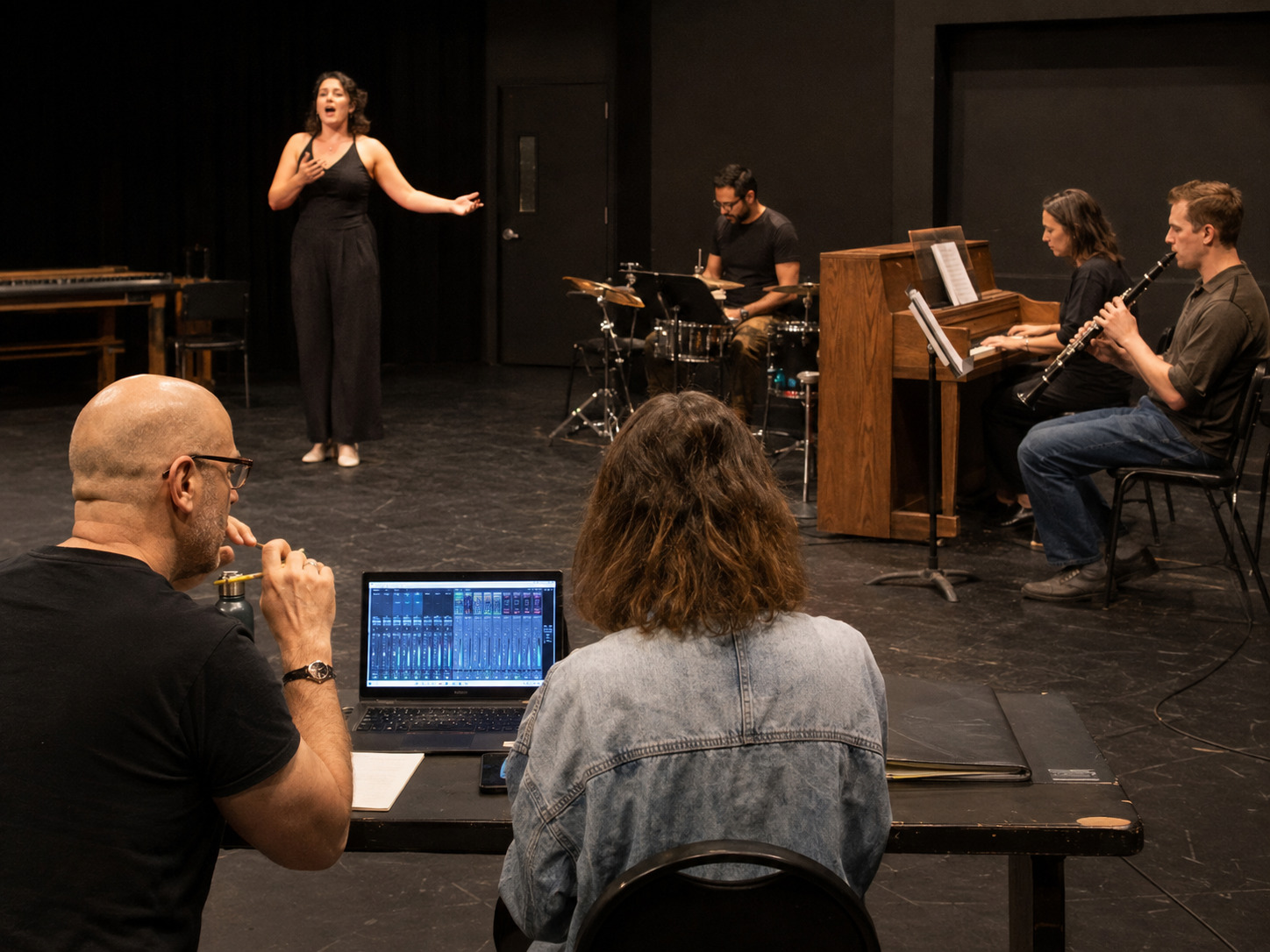
- leaving space for a live piano, percussionist, or small pit;
- moving an important entrance cue to an instrument the cast can hear clearly;
- reducing a dense texture that competes with young or lightly amplified voices;
- strengthening rhythmic support for choreography;
- matching a scene change, underscoring moment, or stage reveal;
- or building a consistent instrumental world across a full-show package.
The best change is not automatically the most noticeable one. It is the one that helps the cast, conductor, operator, and audience understand the same musical moment.
Diagnose the stage problem before changing the arrangement
Start with the current track in the actual production context. A mix that feels crowded on laptop speakers may work through the venue system. A cue that disappears in the room may be a monitor-position problem. A dance break that feels weak may need clearer percussion, but it may also need a firmer tempo or a cleaner count-in.
Run the complete moment from one cue before the problem through one handoff after it. Then record what happened.
| What the room reports | Check before requesting orchestration | A more useful request |
|---|---|---|
| “The track is too busy” | Vocal balance, microphone technique, speaker coverage, and whether every live instrument is playing the same register | “Thin the texture under the soloist’s first verse so the lyric remains clear” |
| “The dancers cannot feel the beat” | Tempo, count-in, monitor level, and whether the pulse is present but hidden | “Give the dance break a clearer rhythmic anchor without changing the approved tempo” |
| “The entrance cue is easy to miss” | Cue timing, lead-in length, operator sightline, and conductor gesture | “Move the entrance landmark to a distinct instrument and preserve two full bars of preparation” |
| “The small pit sounds disconnected” | Tuning, balance, part assignment, and whether the track leaves space for the live players | “Remove the doubled piano and percussion parts so the live players own those colors” |
| “The scene change feels empty” | Actual change duration, dialogue pickup, lighting cue, and whether a vamp or extension is the real need | “Extend the established texture through the change and give the operator a clear exit” |
This diagnosis keeps the production from paying for a new arrangement that solves the wrong layer.
Decide what the live musicians should own
A hybrid production works best when every sound has one job. If a live player and the backing track both carry the same material at the same prominence, the result can feel heavy and difficult to balance.
List the live instruments that will be present at every performance—not only at one rehearsal. Then decide what each one should contribute.
For example:
- A live pianist may lead recitative-like transitions, spoken pickups, and flexible introductions.
- A percussionist may give choreography a physical pulse while the track carries the wider orchestral color.
- A keyboard player may cover a featured texture that needs to respond to the conductor.
- A small string or wind group may bring live phrasing to exposed moments while the track supports the rest of the ensemble.
The (small-pit backing-track plan) explains the broader rehearsal relationship between live players and recorded accompaniment. For an orchestration request, go one step further: name the exact parts that must stay live, the material the track should avoid doubling, and the transitions where the two must meet.
Preserve the musical information performers rely on
An arrangement can sound cleaner and still become harder to perform if it removes the landmarks people use.
Before approving a change, mark:
- the first sound the singer hears before entering;
- the instrument or rhythm that supports a difficult pickup;
- the harmonic change that tells dancers a new phrase has begun;
- the texture that signals a vamp exit;
- the sound that prepares a scene transition;
- and the final gesture that helps the conductor and cast land together.
If one of those landmarks changes, plan time to reteach it. A new orchestration is not merely a new mix. It can change how the company experiences the form.
Write the request in production language
You do not need to write a textbook orchestration brief. You do need to make the stage problem specific.
Include:
- The show, song, and current reference track.
- The production use: audition, rehearsal, staged performance, revue, or full show.
- The live instruments, if any, that will be present consistently.
- The exact section that needs a change, using measure numbers, timestamps, rehearsal marks, or lyric landmarks.
- What the cast or production team currently cannot hear, feel, cue, or perform reliably.
- Which musical information must remain easy to follow.
- Any approved key, cut, tempo, lead-in, vamp, or ending connected to the change.
- The rehearsal milestone when the revision can be tested.
- One music or production leader who can approve the result.
The Broadwaytrax guide to (writing custom-track request notes) gives a practical format for keys, cuts, tempos, and cues. Use the same discipline for instrumentation: describe what the room needs the revised track to do.
Send source materials that answer real questions
Different projects begin from different materials. You may have a conductor score, orchestra parts, piano-vocal reduction, audio reference, or a combination of those.
Before sending anything, confirm that your production is permitted to use and share the materials for the requested work. Keep show rights and recording rights separate from the musical-production request. The (theater-use and grand-rights guide) explains that distinction in plain language.
Then label every source clearly. If two references disagree, say which one governs the requested version. If the cut in the score differs from the audio, mark the approved path. If the live pit will omit instruments shown in the score, list what will actually be in the room.
An arranger should not have to guess which reference represents the production.
Test the revision with the actual people and system
Headphones can confirm detail. They cannot prove the stage.
Test the new version with:
- the singer or ensemble performing the affected section;
- the live musicians who will play with it;
- the conductor or musical leader giving real cues;
- the playback operator using the intended device and show file;
- the venue speakers and monitors;
- and the staging, choreography, or transition that created the request.
Begin before the changed passage and continue past it. A revised texture may solve the center of the moment while making the entrance or handoff less clear.
After the test, answer four questions:
- Can the performers hear the information they need?
- Do the live and recorded parts have distinct, compatible jobs?
- Does the change support the story and staging without covering the voices?
- Can the operator run the same result consistently?
If the answer is yes, approve and label the version. If not, write the next revision from the observed result—not from a new set of adjectives.
Keep the revision inside one controlled show map
An orchestration change can affect duration, balance, file size, cue landmarks, and rehearsal expectations. Treat it as a production version, not a loose replacement.
Record the new filename, date, key, cut, duration, and affected cues. Load it on the primary and backup playback systems. Update the cue sheet. Remove the superseded version from the active performance folder, then rehearse the changed moment again from its real trigger.
The goal is one approved show package that everyone can identify under pressure.
FAQ: custom orchestration for musical-theater backing tracks
Can a backing track leave room for live musicians?
Yes. A custom production can be shaped around a live piano, percussionist, small pit, or other confirmed instrumentation. The request should identify which material the live players will own and what the track should continue to provide.
Is an orchestration change the same as changing the mix?
No. A mix changes the balance and treatment of recorded elements. Orchestration changes which instruments or musical roles are present. Some problems need a mix adjustment; others need a different arrangement.
Should we request the change before rehearsals begin?
Start early enough to test the final version with the cast and production system. If the need emerges during staging, document the repeated problem and the exact rehearsal milestone that will verify the revision.
What if we only have an audio reference?
Share the clearest authorized source materials you have and identify which details must be matched or changed. Broadwaytrax can scope the available path after reviewing the project, materials, instrumentation, and schedule.
Can the same orchestration work for rehearsal and performance?
Often, yes, but the production may also need separate learning support such as guide vocals, count-ins, or simplified rehearsal references. Keep those aids clearly separated from the final performance files.
Make the orchestration serve the stage
Build a custom orchestration around the singers, live players, cues, staging, and rehearsal flow your production has actually chosen.
Bring Broadwaytrax the stage problem, current materials, available live players, singer needs, cue map, and deadline. We can help shape a custom orchestration or production track that fits the performance you are actually staging.
Plan a Custom OrchestrationAn orchestration change earns its place when the room becomes clearer: the singer can tell the story, the dancers can find the pulse, the conductor can lead the handoff, the live musicians have space, and the operator can run the approved version without guessing.
Start with the stage problem. Protect the landmarks. Test the real system. Then let the arrangement do exactly the job the production needs.