Custom Track Requests Work Best When the Notes Are Specific
By Broadwaytrax Content Studio · June 11, 2026
Updated June 11, 2026
A custom track request usually starts because something almost works.
The song is right, but the key is uncomfortable. The track sounds good, but the cut does not match the audition. The tempo is close, but the choreography needs more room. The cue starts cleanly in a studio and still feels rushed once the actor crosses the stage.
That is normal. The useful part is turning the problem into notes a producer can act on.
Start with the job the track has to do
Before writing a request, name the setting.
An audition cut, a rehearsal file, a classroom practice track, a staged production cue, and a full-show performance version do not need the same information. A producer can make better choices when they know how the file will be used.
Useful opening notes sound like:
- This is for a 32-bar audition cut.
- This is for a school production with choreography.
- This is a rehearsal version for students to practice at home.
- This is the final performance version for our sound operator.
- This is one track in a full-show package.
That context keeps the request practical. A cut for a prescreen may need a clean ending. A performance version may need a lead-in that fits an entrance. A rehearsal version may need a count-off or guide vocal support.
Give the current problem, not only the desired fix
It helps to say what is going wrong.
Instead of only writing "make it lower," write why the change matters. For example:
- The final phrase sits too high after choreography.
- The singer can sustain the ending in G, but not in A-flat.
- The spoken cue before the entrance needs two extra seconds.
- The dance break feels rushed at the current tempo.
- The scene change needs a shorter transition before the next vocal entrance.
Those notes help the producer understand whether the best answer is a key change, cut, tempo adjustment, lead-in, vamp, or separate rehearsal version.
Be exact about keys
Key changes are common, but the request should be specific.
If you know the target key, write it clearly. If you do not know the target key, describe the singer's issue and share a practical reference: how far it needs to move, which phrase is the problem, and whether the singer has already tested a better range.
Helpful key notes include:
- Current key: A. Requested key: G.
- Please lower the track by one whole step.
- The first half is comfortable, but the final chorus is too high.
- We need the same cut in two keys for two auditioners.
- The ensemble can keep the original key, but the solo section needs a lower version for rehearsal.
Avoid asking for a key change only by mood, such as "make it easier" or "make it warmer." Those comments may be true, but they do not tell the production team exactly what to build.
Mark cuts with landmarks
Cuts are easier to produce when the start and end points are unambiguous.
Use measure numbers if you have them. If you do not, use musical landmarks, lyric cues, timestamps, or a marked score scan. The goal is to remove guessing.
Strong cut notes might say:
- Start at the pickup into measure 17 and end after measure 48.
- Cut from the end of the first chorus directly to the final tag.
- Begin at the verse after the dance break, not at the top.
- Remove the second repeat, then keep the original ending.
- End with a clean button, not a fade.
If the cut supports staging, explain that too. A scene transition cut needs different thinking than an audition cut.
Treat tempo as a staging decision
Tempo requests work best when they are connected to real movement, breath, or cue timing.
For auditions, the singer may need a tempo that lets the story land without dragging. For choreography, dancers may need consistency and enough room to hit formations. For a staged entrance, the track may need the same tempo but a longer lead-in.
Useful tempo notes include:
- Please slow the full track slightly for choreography.
- Keep the song tempo, but add a two-bar count-in before the vocal entrance.
- The verse is fine, but the dance break needs to sit back.
- Please create a rehearsal version at the slower tempo and a performance version at final tempo.
- The ending needs a little more space after the last line.
If the issue is actually a cue or lead-in, say that. Slowing the entire track may not be the best fix if the singer only needs time to breathe before the first phrase.
Separate rehearsal versions from performance versions
One custom request can sometimes produce more than one useful file.
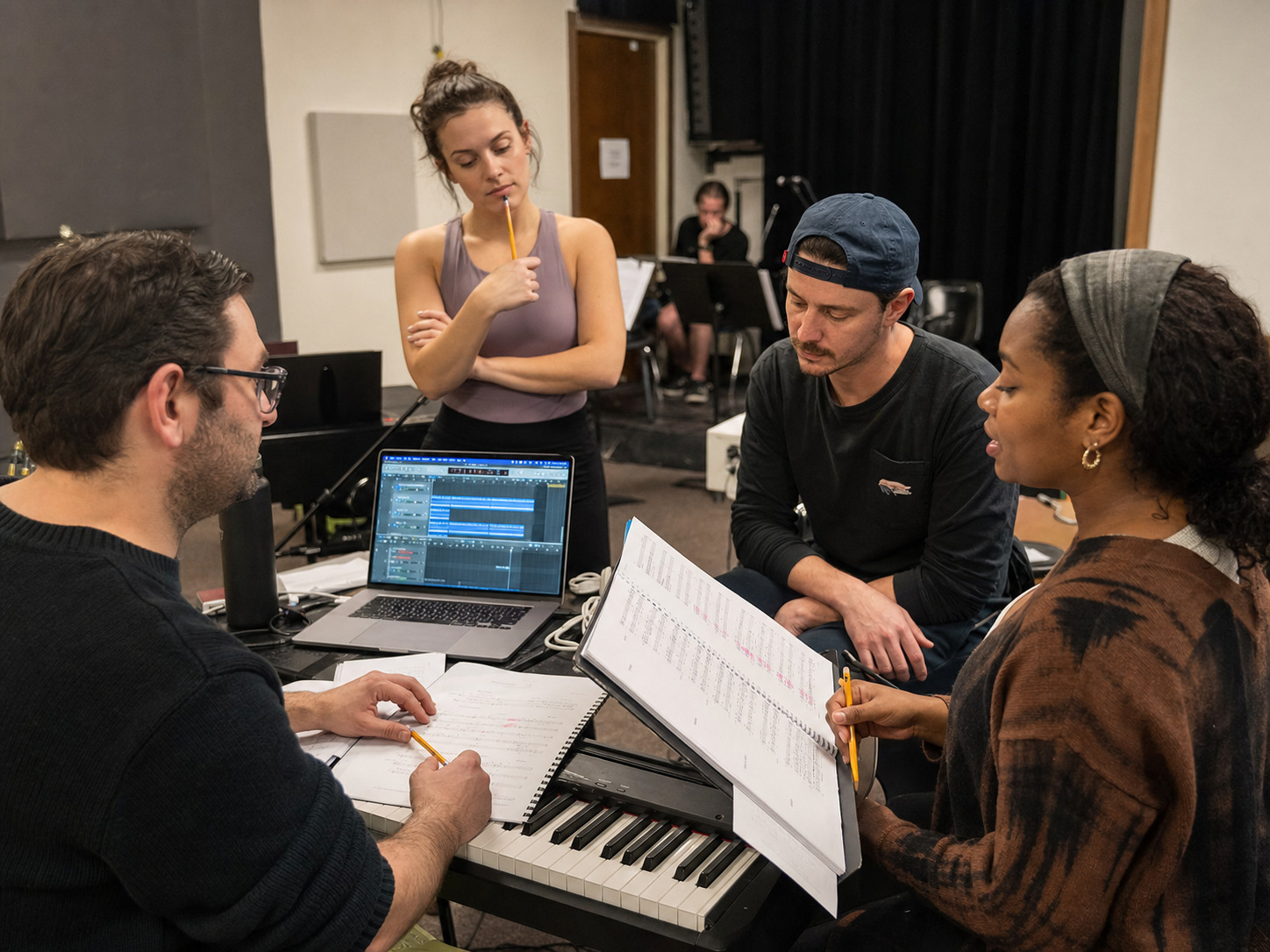
A rehearsal version might need:
- a count-off,
- guide vocals,
- a slower tempo,
- a longer intro,
- or a clear cue for a difficult entrance.
A performance version might need:
- no guide vocal,
- a clean start,
- final cuts only,
- a consistent tempo,
- and file names that match the sound operator's cue sheet.
If you need both, say so early. That is much easier than trying to turn one file into every version after rehearsals have already started.
Include cue information for staged moments
Theater tracks often have to fit physical action.
If a prop handoff, cross, reveal, scene change, or blackout affects the music, include that detail. A producer does not need the entire blocking script, but they do need to know why timing matters.
Good cue notes might say:
- The actor needs to cross from stage right before the vocal entrance.
- The track should not begin until after the spoken line.
- We need a short hold before the button so the door slam can land.
- The sound operator will start this cue on a visual signal, not a spoken line.
- The singer needs a breath after the underscored dialogue.
These details turn a musical edit into a production edit.
Send one approved note set
Custom work gets slower when three people send different instructions.
Before submitting, have the music director, director, choreographer, or stage manager agree on the version request. That does not mean every detail must be permanent. It means the first request should represent the team's current plan.
A clean request includes:
- song or show title,
- use case,
- current track or reference,
- requested key,
- requested cut,
- tempo or cue notes,
- desired file versions,
- deadline or rehearsal milestone,
- and one person who can approve revisions.
That last point matters. Revisions are easier when the approval path is clear.
A practical request template
Use a simple format like this:
Use case: school production rehearsal and performance
Track: accompaniment version of the song
Key: lower one whole step from the current file
Cut: start at the verse, remove second repeat, keep original ending
Tempo: keep current tempo except slow the dance break slightly
Cue: add a two-bar count-in before the first vocal entrance
Versions needed: rehearsal version with count-in, performance version without count-in
Approval: music director will approve final file
The notes do not have to be fancy. They have to be clear.
FAQ: custom musical theater tracks
What information should I include in a custom backing track request?
Include the song or show, use case, current track reference, requested key, cut points, tempo notes, cue needs, version needs, deadline, and one approval contact.
Do I need measure numbers for a cut?
Measure numbers help, but they are not the only option. You can also use timestamps, lyric landmarks, a marked score, or a clear description of where the cut starts and ends.
Is a key change different from a custom production?
Often, yes. A key change adjusts an existing track's range, while a broader custom production may involve more extensive arrangement, orchestration, cue, or full-show work. The right path depends on the request.
Should I request rehearsal and performance versions?
Request separate versions when the rehearsal file needs learning aids, count-offs, slower tempos, or guide vocals that should not be in the final performance track.
The takeaway
Start a Broadwaytrax custom track request with the key, cut, tempo, lead-in, cue, or full-show detail your rehearsal room needs, then send notes our production team can turn into a usable file.
Request a Custom QuoteThe best custom request does not try to sound technical. It tries to be useful.
Name the job, explain the problem, mark the musical landmarks, and separate rehearsal needs from performance needs. Clear notes help the production team build a track that fits the singers, the staging, and the room using it.