Your Scene Change Needs Music That Knows the Cue
By Broadwaytrax Content Studio · June 22, 2026
A scene change can be only eight seconds long and still decide whether the next moment lands.
The track has to wait while a chair moves. It has to keep energy under a cross. It may need a clean button after choreography, a vamp that holds until a door opens, or an intro that gives the singer enough time to breathe before the entrance.
Those details are easy to ignore when the team is still choosing songs. They become urgent once the room starts moving.
If your production uses backing tracks, plan the vamps, buttons, dance breaks, and scene-change cues before tech week asks the sound operator to solve everything at once.
Start with the staging problem, not the audio file
A cue is not just a timestamp. It is a stage event.
Before asking for an edit, write down what the music needs to support:
- a performer entering from upstage,
- a prop or scenic piece moving,
- choreography that needs a few more counts,
- dialogue that needs music underneath it,
- a blackout or light shift,
- applause after a number,
- a vocal entrance that needs a longer lead-in.
That note is more useful than "make it longer." It tells the producer or editor why the change matters and where the music should breathe.
Know the difference between a vamp and a button
A vamp buys time. A button finishes a moment.
A vamp can support choreography, a costume reveal, a scene transition, or a flexible entrance. It needs to loop or extend without calling attention to itself. A good vamp feels intentional even when the timing changes from rehearsal to rehearsal.
A button gives the room a landing point. It may be a final chord, a sting, a cutoff, or a short musical punctuation after a joke, pose, blackout, or applause moment. A weak button can make the cast feel unfinished even when the performance was strong.
Treat both as performance tools. They are not decorative extras.
Mark cue points in plain language
The sound operator, stage manager, music director, choreographer, and performers may not all think in bar numbers. Use language the whole team can understand.
For each cue, write:
- what happens onstage,
- who gives the go,
- whether the track starts, stops, holds, fades, or continues,
- how long the music needs to support the action,
- what the next audible event should be.
For example: "Hold vamp until Dorothy reaches center, then stage manager calls GO for verse entrance" is clearer than "extend intro."
The more specific the cue note, the fewer emergency fixes happen later.
Keep dance breaks tied to counts
Dance breaks create a different problem. They need musical energy and precise count structure at the same time.
If a choreographer needs 16 more counts, say that. If the dancers need an eight-count tag before the lift, say that. If the break should repeat once for a school cast with a larger ensemble, say that before the cast learns the first version.
When a dance break changes after rehearsal has already settled, the cast may have to relearn spacing, entrances, and stamina. Track edits are faster when the count map is known early.
Do not hide old versions in the show folder
Vamps and buttons often go through several drafts because the staging evolves. That is normal. The danger is letting old files stay close to the final folder.
Use clear version names:
- song title,
- cue purpose,
- key or cut length if relevant,
- version date,
- approved or draft status.
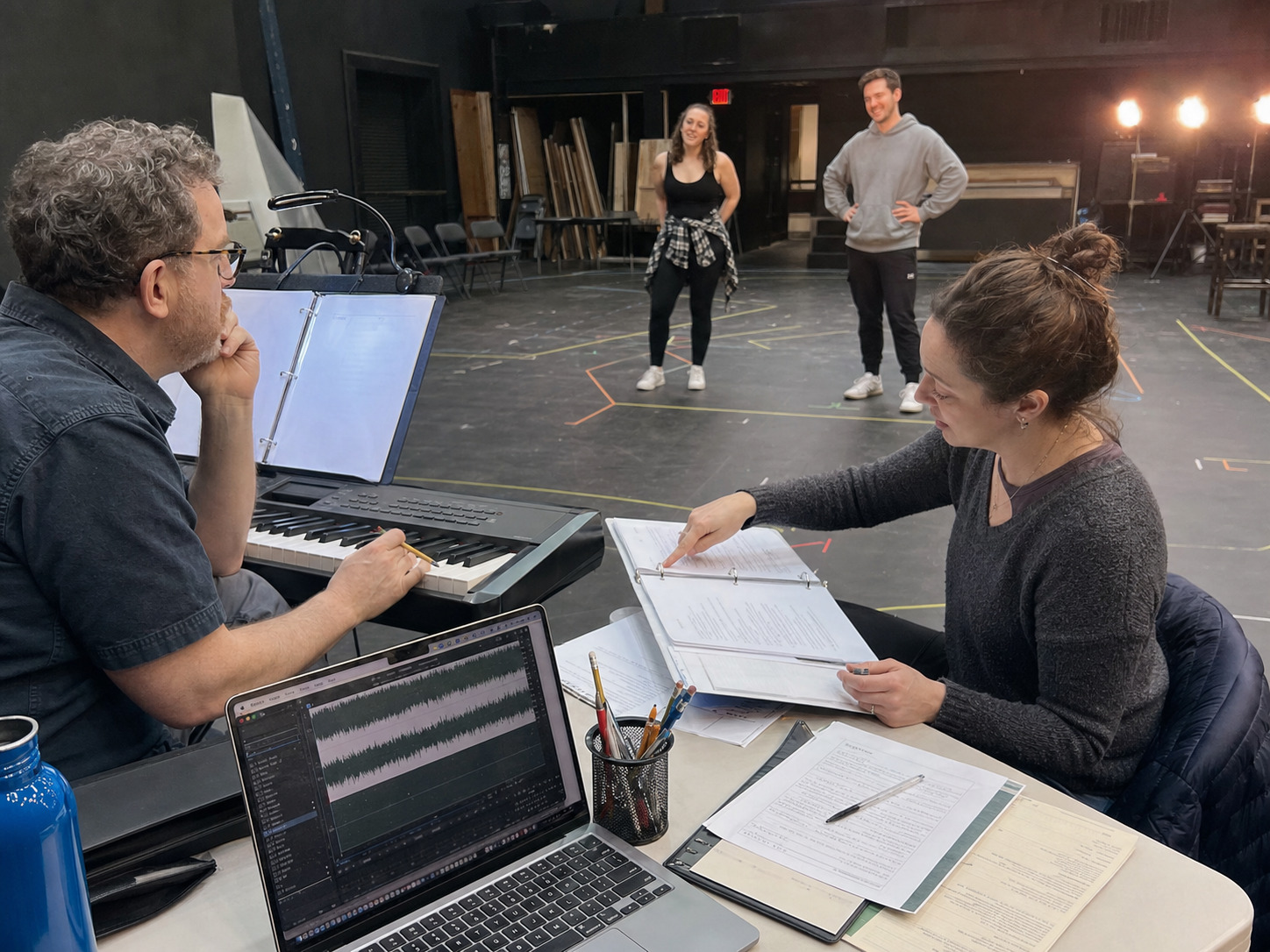
Once the team approves the cue, move the earlier drafts out of the playback folder. The sound operator should not have to guess which button is the real button ten minutes before the house opens.
Give the sound operator a cue sheet they can run
A custom track can be beautifully edited and still fail if the playback notes are confusing.
Build a practical cue sheet with:
- file order,
- cue names,
- start trigger,
- stop or fade instruction,
- backup instruction,
- expected stage action,
- any count-off or spoken cue the operator should hear.
If the sound operator is a volunteer, student, or rotating team member, this matters even more. The cue sheet should let them run the show without reading the music director's mind.
Where custom support helps most
Catalog tracks are useful when the song fits the production as-is. Custom support becomes valuable when the staging needs the recording to do a specific job.
Ask for help when you need:
- an extended vamp,
- a cleaner button,
- a longer intro or lead-in,
- a dance break adjusted by counts,
- a tempo change that supports choreography,
- a fade or cutoff that matches a light cue,
- scene-change music between numbers,
- a full-show package with consistent cue logic.
The best time to make those requests is while blocking and choreography are still flexible. The second-best time is before tech week locks the wrong version into muscle memory.
A rehearsal-room checklist for cue music
Before the first full run, confirm:
- Every custom cue has a stage reason.
- Vamps have clear hold and release instructions.
- Buttons land where the actor, choreographer, and lighting cue expect them.
- Dance breaks match the current count map.
- File names make the final version obvious.
- The sound operator has a run-ready cue sheet.
- Old drafts are outside the show playback folder.
- Licensing and show permissions are handled separately from track editing.
That last point is important. Customizing a track can help the recording match the production, but the production still needs to confirm performance, show, streaming, recording, and other rights with the appropriate rights holder or licensing source.
FAQ: backing-track vamps, buttons, and scene-change cues
Can a backing track be extended for choreography?
Often, yes. The useful request is not just "make it longer." Share the choreography counts, the section to repeat or extend, and what stage action the music needs to cover.
What is a button in theater music?
A button is a short musical ending or punctuation point that helps a number, joke, pose, blackout, or scene moment land cleanly.
Should the stage manager or music director call track cues?
That depends on the production. What matters is that one person owns the cue, the sound operator knows the trigger, and the cue sheet matches the staged action.
Can scene-change music be part of a full-show backing-track package?
It can be when the production scope supports it. Full-show planning is the right time to discuss scene changes, vamps, reprises, underscoring, overtures, and transition cues together.
The takeaway
Need a vamp extended, a button tightened, a dance break cleaned up, or scene-change music matched to your staging? Broadwaytrax custom support can shape the track around the cue sheet your production actually uses.
Plan Custom Cue SupportTrack cues work best when they are tied to real staging.
Name the stage event, mark the cue clearly, keep vamps and buttons purposeful, protect the final playback folder from old drafts, and give the sound operator a cue sheet they can run. The audience may never know why the transition felt clean, but the cast will feel it every time the music lands where the show needs it.