A Sitzprobe Should Sound Like the Show You Plan to Perform
By Broadwaytrax Content Studio · July 28, 2026
A sitzprobe is where the cast and music finally have to agree on the same version of the show.
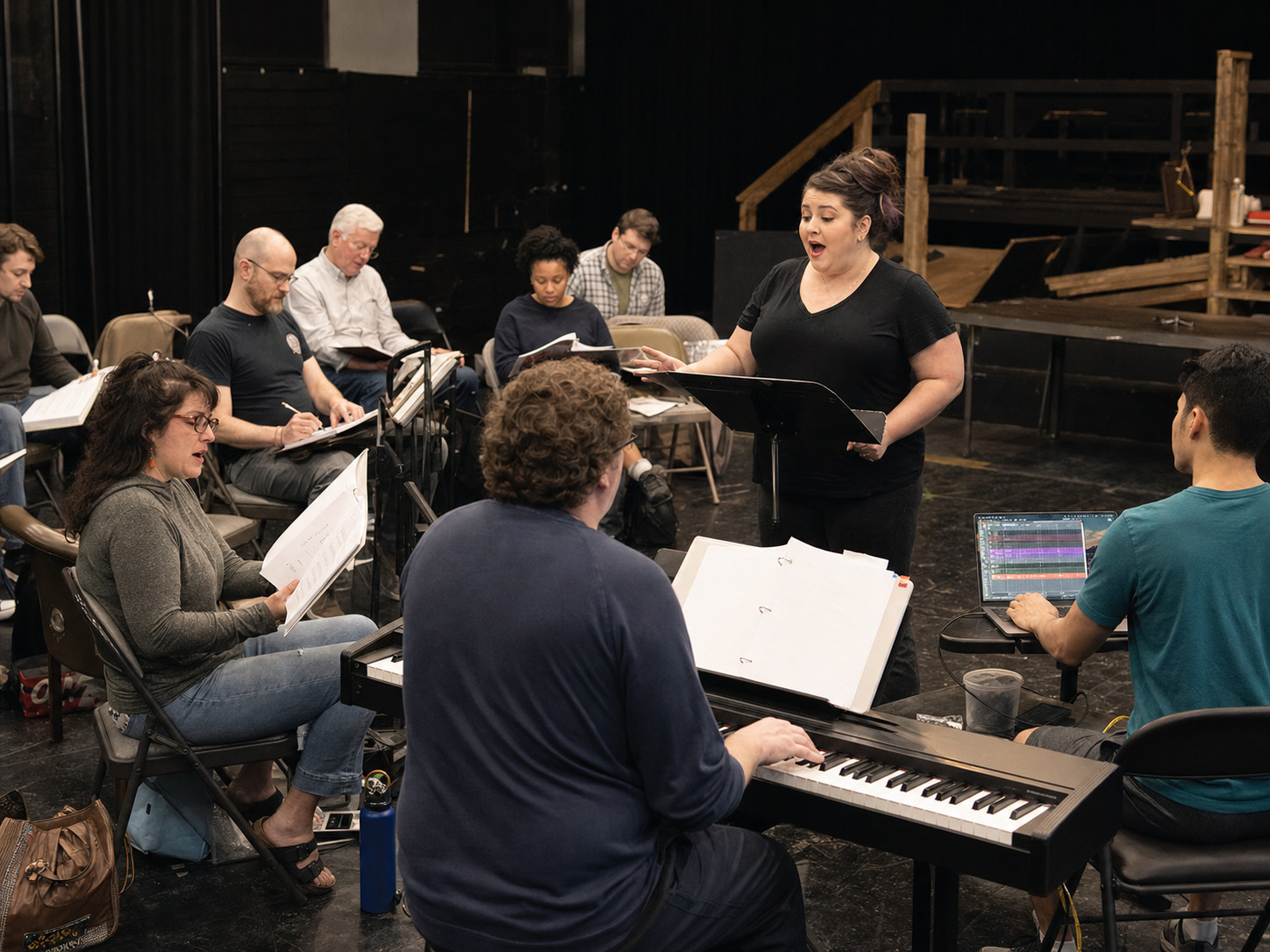
Traditionally, that means singers and orchestra rehearse the score together before staging becomes the main focus. In a production using backing tracks, the purpose is just as important: the cast, music director, stage manager, and playback operator should hear the exact performance files, confirm how every number begins and ends, and expose problems while there is still time to solve them.
Do not treat this rehearsal as a sing-through with nicer sound. Use it to turn a folder of audio files into a dependable show.
The short answer
A useful backing-track sitzprobe should confirm five things:
- The cast is singing with the same arrangement, key, cut, and tempo planned for performance.
- Every start cue and first entrance is understood.
- Vamps, dance breaks, scene-change music, buttons, and cutoffs fit the staging plan.
- Guide-vocal files are separated from performance files.
- The operator, music director, and stage manager use the same filenames and cue language.
If one of those answers is still unclear, the rehearsal has found useful work.
Bring the performance versions into the room
Early rehearsals may use piano, guide vocals, rehearsal recordings, slower practice files, or temporary cuts. Those tools help the cast learn. The sitzprobe should move the company toward the files it will actually perform with.
For every number, identify:
- the approved key;
- the approved cut;
- the final tempo and any planned tempo changes;
- the exact introduction or count-in;
- the guide-vocal and accompaniment-only roles;
- the ending, button, fade, or cutoff;
- any vamp, repeat, underscoring, or scene-change extension;
- and the current version number.
Use the (Broadwaytrax guide-vocal library) when singers need a learning reference, then move to the matching accompaniment file for the performance-focused pass.
Give every file one job
The rehearsal becomes confusing when several nearly identical files are open and nobody knows which one is authoritative.
| File role | Use it for | Keep it out of |
|---|---|---|
| Guide vocal | Learning melody, rhythm, entrances, and arrangement shape | The final performance playlist unless the production has made a specific approved decision |
| Rehearsal accompaniment | Moving the cast away from the recorded singer | The final playlist when a newer approved performance version exists |
| Performance accompaniment | The exact key, cut, tempo, cue shape, and ending planned for the show | Experimental rehearsal edits |
| Operator backup | A verified copy of the approved performance file | Daily rehearsal folders full of drafts |
| Reference recording | Listening and comparison | Any cue where the cast expects the staged arrangement |
Once a performance version is approved, move older drafts out of the live playlist. Do not rely on filenames such as final, new, or use-this-one.
A clearer pattern is:
Q##_SongTitle_FileRole_Version.mp3
For example:
Q03_OpeningNumber_ACCOMP_v4.mp3Q08_Ballad_GUIDE_rehearsal.mp3Q14_SceneChange_ACCOMP_v2.mp3
Start before the first note
The first five seconds of a track can create more trouble than the middle five minutes.
For each number, decide:
- who calls the cue;
- what line, movement, or visual action triggers it;
- whether the track begins immediately or after a short pause;
- how long the introduction lasts;
- what the singer hears before the first entrance;
- and whether the company needs a visible or audible count.
Run the spoken scene into the track. Do not begin every number from silence with everyone already prepared. The production needs to know whether dialogue, movement, applause, or a scene transition leaves enough time for the operator and performers to reach the first entrance calmly.
If an actor needs more time to cross the stage or breathe before singing, the real need may be a clearer lead-in, a longer introduction, or a vamp—not simply a slower song.
Test the places piano rehearsal may have hidden
A live rehearsal pianist can watch the room, wait for an entrance, repeat a bar, or follow a conductor's breath. A finished backing track remains consistent. That consistency is useful, but it makes unresolved staging decisions audible.
Listen closely around:
- dialogue pickups into music;
- dance-break entries and exits;
- vamps that need a clear release cue;
- underscoring beneath speech;
- prop or costume handoffs;
- scene changes;
- applause points;
- fermatas or breath-sensitive phrases;
- reprises with altered cuts;
- and final buttons before blackouts.
The goal is not to make the production rigid. It is to identify where the staging must learn the track and where the track may need to support the staging more clearly.
Separate musical notes from production notes
During the rehearsal, collect problems in two columns.
The cast or staging needs to adjust
Examples:
- the ensemble is entering before the introduction finishes;
- dialogue is covering the musical pickup;
- a choreographic reset is late because the movement has not been assigned;
- the actor is following an old guide-vocal phrasing choice;
- the stage manager and music director are using different cue names.
The track or file plan may need to adjust
Examples:
- the approved cut is not in the playback folder;
- the introduction is too short for the confirmed stage traffic;
- a dance break needs a clearer restart landmark;
- a vamp needs an agreed release;
- the final button lands before the planned blackout;
- the cast and operator received different file versions.
That distinction prevents every rehearsal problem from becoming an audio-edit request.
Mark reliable restart points
A full run will eventually need recovery. The sitzprobe is a good place to name safe restart landmarks before pressure is high.
For each complex number, record one or two locations that the cast, conductor or music director, and operator can all recognize:
- a distinctive instrumental pickup;
- the top of a verse;
- a dance-break phrase;
- a repeated chorus;
- or a clear lyric cue.
Practice one restart. Stop, name the landmark, reset the file, give the cue, and continue. The purpose is not to normalize stopping in performance. It is to make a rehearsal interruption calm and efficient.
Build the operator map while the music is fresh
The operator does not need every musical note from the rehearsal. They need a compact map that can be used under pressure.
| Cue | Filename | Called by | Start landmark | Ending | Next action |
|---|---|---|---|---|---|
| Q03 | Approved opening file | Stage manager | Two-bar introduction | Full button | Hold for applause |
| Q08 | Approved ballad file | Music director | Piano pickup | Sustained ending | Dialogue begins after release |
| Q14 | Approved scene-change file | Stage manager | On blackout | Fade on set-ready cue | Next scene starts |
After the sitzprobe, test the map with the actual laptop, playback software, audio connection, speaker system, and backup device.
The (Broadwaytrax sound-operator cue-sheet guide) can help turn these musical decisions into a performance-ready running document.
Decide custom needs before the next staging run
Some catalog tracks will already fit the production. Others may be close but need a different key, cut, tempo, lead-in, cue, ending, or orchestration adjustment.
When the sitzprobe reveals a real mismatch, write the request in production language:
- what is happening on stage;
- which file and version the company used;
- the exact lyric, time stamp, rehearsal mark, or cue location;
- what the singer, cast, or operator needs;
- and who will approve the revision.
(Broadwaytrax custom-track support) can help shape a single track or a fuller production package around those practical needs.
Keep show rights, approved score materials, and recording-use permissions separate from the audio-edit decision. Confirm protected musical changes with the publisher or rights holder, and review the (Broadwaytrax theater-use guidance) for the distinction between show rights and permission to use a recording.
A practical sitzprobe checklist
- Use the current performance accompaniment files.
- Keep guide vocals clearly labeled and outside the live playlist.
- Confirm key, cut, tempo, introduction, and ending for every number.
- Run dialogue or stage action into the first cue.
- Test vamps, dance breaks, scene changes, and underscoring.
- Record one reliable restart landmark for complex numbers.
- Separate staging fixes from track-edit needs.
- Update filenames and remove superseded versions.
- Give the operator a compact cue map.
- Copy approved files to the primary and backup playback systems.
- Assign an owner and deadline to every unresolved note.
FAQ: backing tracks at a musical theater sitzprobe
What is a sitzprobe?
It is a rehearsal focused on bringing performers and the production's musical accompaniment together. In a track-based production, it is the right time to confirm the exact performance files, arrangements, keys, cuts, cues, and endings before staging runs become more complex.
Should we use guide vocals?
Guide vocals can help the cast confirm melody, rhythm, entrances, and arrangement details. Use the accompaniment-only performance version for the pass that tests what the cast must carry live.
Do we need to run every number in full?
Run enough music to confirm the arrangement and expose cue problems. For a straightforward number, that may be a full pass. For a complex sequence, it may be more useful to test the entrance, transition, dance break, ending, and one restart point.
Who should attend?
At minimum, include the cast members involved, music director, and the person responsible for playback. The stage manager, director, choreographer, and sound team should join when their cues, transitions, or equipment are part of the questions being tested.
When should a custom edit be requested?
Request it when the approved standard file does not fit a confirmed singer, cut, tempo, staging, cue, lead-in, ending, or production need. Leave enough time to review and rehearse the revised version before tech.
When the sitzprobe exposes a key, cut, tempo, lead-in, vamp, cue, or ending that does not fit the staged show, Broadwaytrax can shape a production-ready custom track plan.
Build a Performance Track PlanThe takeaway
A sitzprobe should make the show more specific. Put the exact performance files in the room, run the cues that connect music to staging, name the versions everyone will use, and turn every unresolved problem into an owned next step. When the company leaves with one shared musical map, the next rehearsal can focus on telling the story.