Make the First Read-Through Sound Like a Rehearsal, Not a File Search
By Broadwaytrax Content Studio · July 30, 2026
Updated July 30, 2026
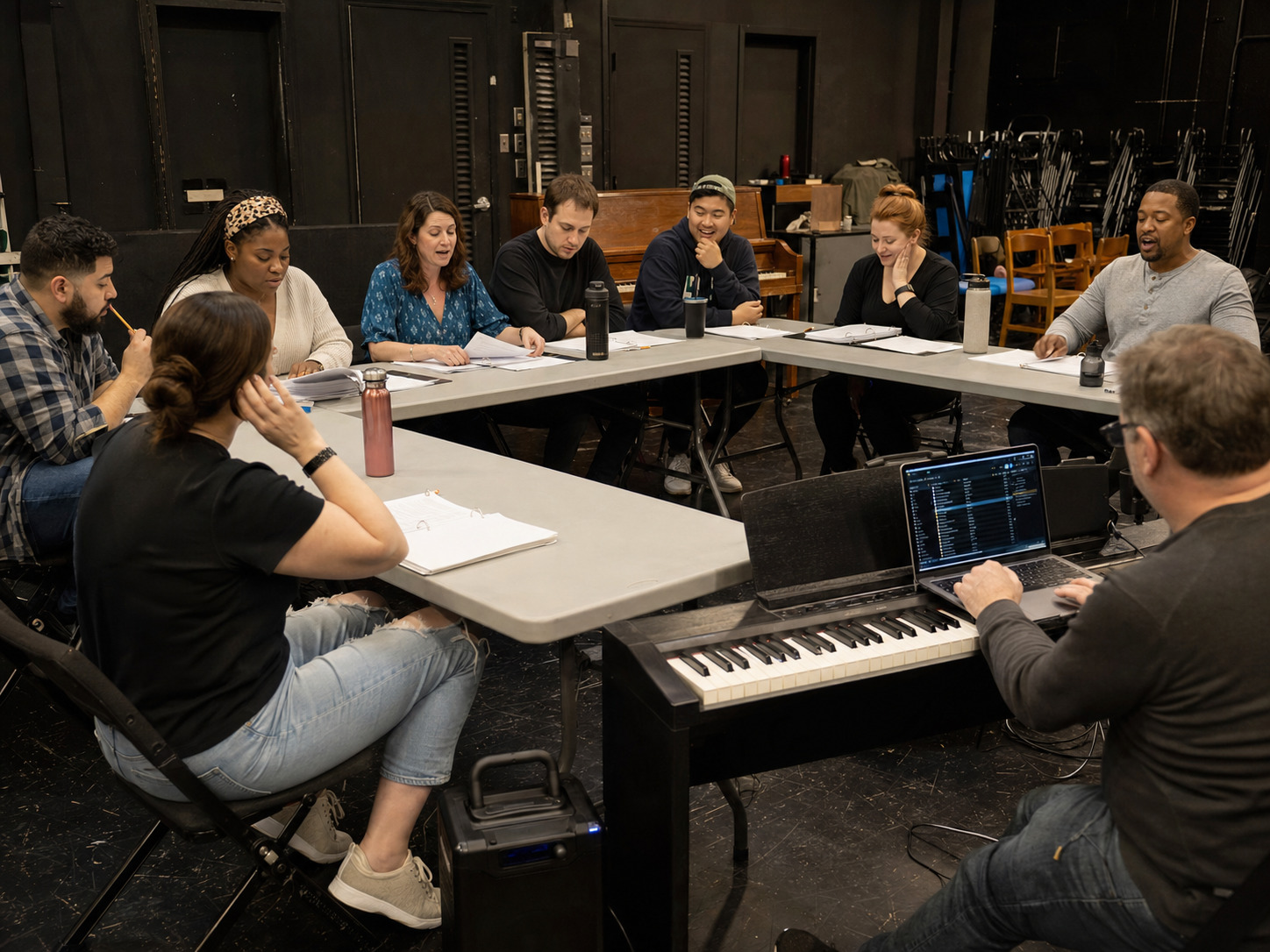
The first read-through should answer a simple question: what version of the show is this company actually rehearsing?
For a musical, that answer lives in more than the script. It also lives in the score edition, song order, dance breaks, scene changes, keys, cuts, underscoring, and the files the music team plans to use. A thoughtful backing-track plan lets the cast hear the same map from the first table read onward.
The goal is not to stage every number on day one. It is to leave the room with one shared musical sequence, a short list of real questions, and files that can move cleanly into rehearsal.
What should happen at a musical read-through?
A useful first read-through combines three activities:
- Read the book in order. Include entrances, exits, transitions, and enough stage directions to understand the story.
- Hear the score in context. Sing or listen through each number at the point where it belongs.
- Mark decisions without solving everything. Capture questions about versions, cuts, keys, cues, and transitions for the right person to answer later.
That is different from playing a cast recording in the background. A commercial recording may use a different edition, tempo, orchestration, dialogue break, or ending from the production materials in the room. It can be a reference, but it should not become the accidental rehearsal master.
Build one show-order map before anyone presses play
Create a single running list that follows the licensed script and score. Give every musical event its own row—even short reprises, scene-change music, bows, and exit music.
| Show-order field | What to record | Why it matters |
|---|---|---|
| Sequence number | 01, 02, 03 rather than only titles |
Keeps files sorted on every device |
| Script location | Act, scene, and page in your current materials | Helps the stage manager find the cue |
| Number title | The exact working title used by the team | Prevents nickname confusion |
| File role | Guide vocal, accompaniment, rehearsal piano, or reference | Stops the wrong mix from reaching performance |
| Start cue | Spoken line, action, count, or conductor cue | Connects the file to the scene |
| Planned finish | Full ending, cutoff, segue, vamp, or fade | Exposes transition questions early |
| Decision owner | Director, music director, choreographer, or stage manager | Keeps notes from becoming anonymous |
If the licensed materials use a reprise number such as 8A or 12B, preserve that identifier in the map. Add a clean sequence prefix for playback, but do not erase the score’s own reference.
Give the room the right kind of track
Different files answer different rehearsal questions.
Guide-vocal tracks help the company hear the complete musical shape
A guide vocal can clarify melody, entrances, ensemble layers, and how a lyric sits against the accompaniment. It is especially useful before every principal or section has learned the music.
Use it as a teaching and orientation tool. Do not let it become the only version the cast knows. Schedule the move to the accompaniment track so singers learn to hold their own entrances, text, and harmony.
Accompaniment tracks reveal the space the cast must fill
The accompaniment-only version shows whether an entrance is truly clear, whether a dance break needs counts, and whether the company understands the ending without a recorded singer leading it.
At the first read-through, you may not need to sing every number against accompaniment. You should still confirm that the file exists, opens, matches the guide-vocal structure, and is named correctly.
Rehearsal piano may be the best tool for stopping and starting
A live pianist or rehearsal-piano file can be more flexible when the music director needs to isolate four measures, change the starting point, or repeat a harmony. Backing tracks become more useful once the team is testing continuity, timing, and consistent cues.
The strongest plan is not “tracks or piano.” It assigns each tool to the work it does best.
Listen for six decisions during the read-through
Do not turn the table read into a four-hour production meeting. Listen for the issues that affect the shared musical map:
- Edition: Does the track follow the licensed version in the room?
- Order: Are reprises, dance breaks, and scene-change cues in the correct sequence?
- Key: Is the planned key confirmed, or does a singer need a separate music call before anyone requests a change?
- Cut: Is the cut exact enough to describe by measure, lyric, or time stamp?
- Transition: Does the number stop, vamp, button, segue, or continue under dialogue?
- Cue: Who starts playback, and what observable event gives them permission?
A note such as “track feels long” is not yet a revision request. A useful note identifies the file, location, stage context, desired behavior, decision owner, and next test.
For a complete handoff format, use the (rehearsal-report track revision guide).
Run a ten-minute playback check before the cast arrives
The room should not discover basic file problems in front of the full company.
Before the read-through:
- download files to the playback device rather than depending on a live connection;
- confirm every file opens and reaches its ending;
- turn off shuffle, crossfade, notifications, and automatic volume changes;
- place guide-vocal and accompaniment versions in clearly separated folders or playlists;
- test the speaker at a useful room level;
- keep a second local copy on another device or drive; and
- print or share the current show-order map.
The person running audio should be able to move to any number without searching a storefront, email thread, or chat attachment.
Mark open questions without creating premature custom work
The first read-through will surface ideas. Some will disappear after a music rehearsal. Others will become genuine production needs.
Use three labels:
- Confirm: the team needs to check the licensed score, track version, or existing file.
- Rehearse: the company needs to test the current material before asking for a change.
- Revise: the authorized decision-maker has confirmed a specific key, cut, tempo, cue, lead-in, vamp, ending, or orchestration request.
This protects the production from paying for avoidable changes, while giving real custom needs a clean path forward.
What should the team have at the end?
The first read-through is complete when the production has:
- one ordered list of every musical event;
- one confirmed file role for each available track;
- a short list of edition or material questions;
- named owners for key, cut, cue, and transition decisions;
- a dated plan for moving from guide vocals to accompaniment; and
- a tested local playback folder that matches the map.
The cast does not need a perfect performance. The production does need one source of truth.
FAQ: backing tracks at the first musical read-through
Should we sing every song in full?
Not necessarily. Sing enough to hear the dramatic and musical path. Longer dance sections, repeated choruses, or material scheduled for a separate music call can be sampled if the team still confirms their place in the show order.
Can we use the original cast recording?
Use it only as a listening reference. It may not match your licensed edition, approved changes, or production track structure. Build the working map from the materials and files intended for your production.
When should we request a different key or cut?
After the music director and director confirm the need against the current materials. Include the exact song, current version, requested change, and how the revised moment will be tested.
Who should control playback at the read-through?
Assign one operator. That may be the music director, accompanist, stage manager, or audio lead, depending on the room. One operator prevents simultaneous devices and conflicting versions.
Do backing tracks replace the show license?
No. Permission to use a recording is separate from permission to perform a copyrighted musical. Confirm the production license and the track-use terms that apply to your situation. The (Broadwaytrax licensing guide for schools and theaters) explains the planning distinction.
When the first read-through confirms a real key, cut, tempo, lead-in, vamp, cue, ending, or orchestration need, Broadwaytrax can turn the approved production map into a performance-ready custom track.
Build a Confirmed Track PlanThe takeaway
A first read-through works when the cast hears the story and the production team leaves with a usable musical map. Put every number in order, separate guide vocals from accompaniment, name the decisions that still belong to rehearsal, and turn only confirmed needs into revisions.