Final Dress Should Freeze the Track, Not Reopen Every Choice
By Broadwaytrax Content Studio · August 12, 2026
Updated August 12, 2026
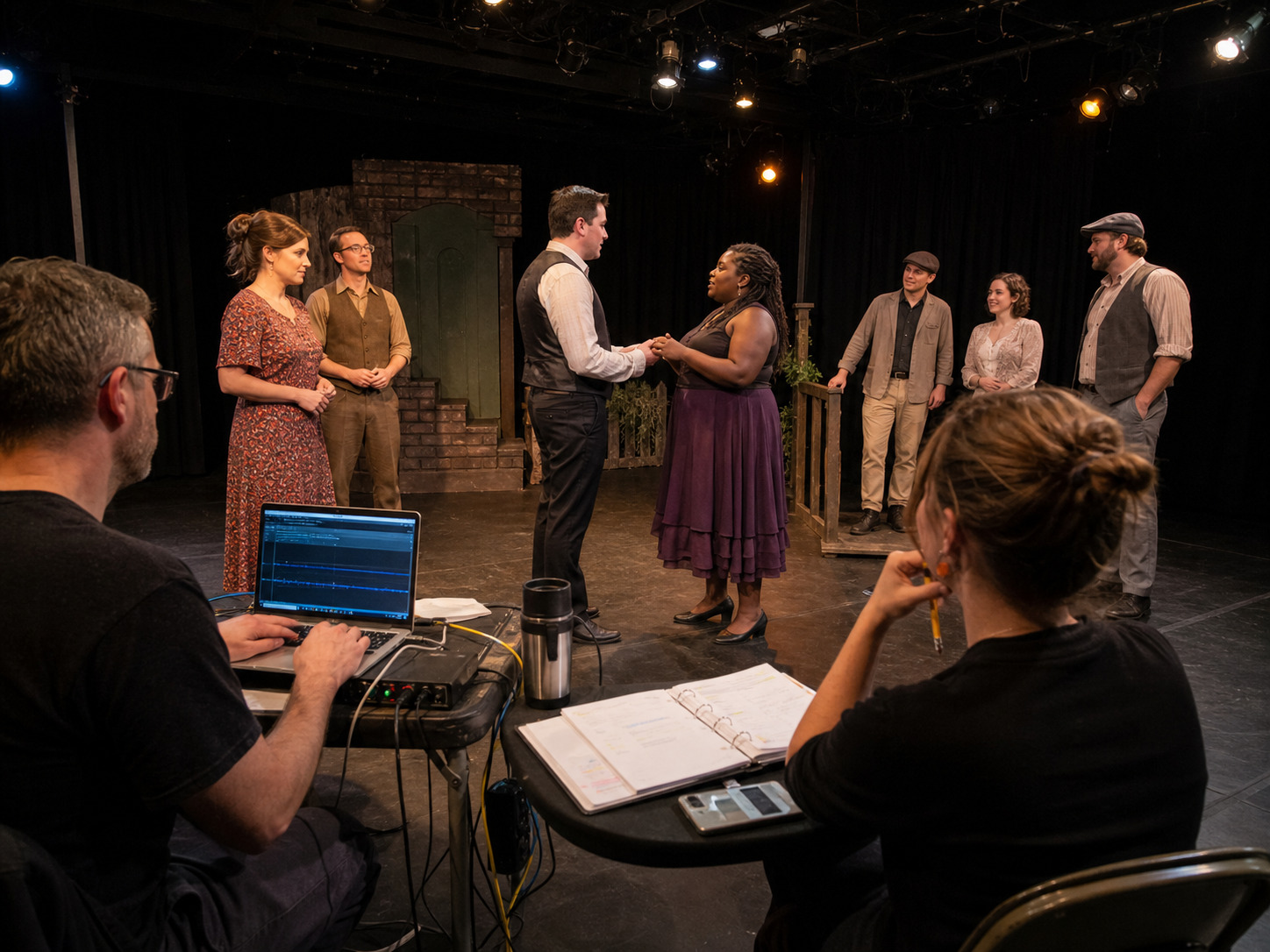
A musical-theater dress rehearsal should prove that the company can run the approved show without changing the backing-track system in the room.
By final dress, every performance file should already have a confirmed key, cut, tempo, lead-in, cue, vamp, fade, and ending. The work now is to test those decisions under real conditions: costumes, microphones, scenery, transitions, applause, fatigue, and the exact people calling and operating the show.
That is why the most useful dress-rehearsal note is often not “fix it tonight.” It is “freeze the approved track, document the issue, and decide whether the production can solve it through performance, cueing, balance, or a controlled revision.”
What should a dress rehearsal prove about backing tracks?
A complete dress rehearsal should prove six things:
- Every cue starts the correct approved file.
- Performers can hear the musical information they need from their actual positions.
- The audience can understand lyrics and dialogue over the accompaniment.
- Scene changes, costume changes, applause, and backstage traffic do not break the cue sequence.
- Stops, vamps, fades, buttons, and transitions behave exactly as rehearsed.
- The operator can recover from a realistic failure using a tested backup path.
If the team is still choosing among versions during final dress, the rehearsal is testing file management instead of the show.
Freeze one performance folder before the call
Create one active folder for the exact version of the show being rehearsed. It should contain only files the operator may use in performance.
Include:
- every approved song, dance break, underscore, scene-change, preshow, and curtain-call file;
- filenames that match the cue sheet exactly;
- the confirmed show order;
- any separately approved emergency or alternate version;
- an identical backup copy on a second tested device;
- and a clear rehearsal-only location for guide vocals and superseded exports.
Do not leave rehearsal files beside performance files with labels such as new, old, final, or use this one. Use stable cue numbers and plain descriptions, such as M14_Finale_Performance.
If the key, cut, tempo, lead-in, vamp, or ending is still wrong, resolve that work through a controlled revision before the folder is frozen. (Broadwaytrax custom tracks) can be prepared around confirmed production needs, but a late request still needs an owner, approval path, deadline, and verification plan.
Run the show from real triggers
Do not begin every musical number by telling the operator to press play.
Run the line, movement, light cue, visual shift, or stage-management call that actually triggers the file. The operator should hear the same GO and use the same cue number planned for performance.
For each musical cue, verify:
| Cue point | What final dress should prove |
|---|---|
| Trigger | The stage manager calls the cue from an observable event |
| First sound | The file begins with the approved silence, count, pickup, or music |
| First entrance | The performer can hear and execute the real entrance |
| Middle | Any cut, vamp, repeat, dance break, or level change happens correctly |
| Ending | The button, fade, stop, or transition lands with action and light |
| Handoff | The next line, cue, movement, or applause plan can begin cleanly |
A track that works when started in isolation may still fail when the operator is waiting for a line under applause or the singer is changing position behind scenery.
Listen through costumes, scenery, and movement
Dress rehearsal changes the acoustic and physical conditions of the show.
Costume pieces may cover a microphone. Wigs and hats may change placement. Scenery may block a monitor. A performer may lose the pulse while facing upstage, entering from the house, or crossing behind a loud effect. Crew movement may mask a quiet lead-in.
Test the actual staging, including:
- entrances from every practical wing or aisle;
- choreography at the farthest point from a monitor;
- numbers performed behind or above scenery;
- quick changes followed immediately by singing;
- dialogue over underscore;
- and transitions that happen during applause or set movement.
Ask performers specific questions. “Could you hear it?” is less useful than “Could you hear the four-count lead-in from stage left?” or “Which instrument helped you find the pickup after the costume change?”
Protect words before adding volume
The audience needs to understand the story.
When a lyric disappears, do not assume the only answer is a louder microphone. Check the complete balance:
- accompaniment level;
- vocal microphone position and technique;
- monitor spill;
- the density of the orchestration;
- the performer's diction and breath;
- room coverage;
- and whether the track includes a section that should be edited, reduced, or handled with a planned level cue.
Listen from the front, middle, sides, and rear of the audience area. The playback position is not a reliable substitute for the room.
If a musical moment is intentionally large, prove that the words remain present inside that size. If a spoken line sits over music, rehearse the actual level and the exact point where the track rises, fades, or ends.
Separate performance notes from track-change requests
Not every difficult moment requires a new file.
Classify the note before anyone opens an editing session.
| Observed problem | First question |
|---|---|
| Entrance feels late | Is the cue called from the correct trigger? |
| Singer loses the pulse | Can monitor placement or blocking expose the musical landmark? |
| Lyric is covered | Can balance, microphone technique, or diction solve it? |
| Dance break feels rushed | Is the confirmed tempo actually wrong for the staged choreography? |
| Button misses the light | Is the light cue following the approved ending? |
| Scene change runs long | Is this a variable timing need that requires a vamp or longer transition? |
Only request a track revision when the production need is specific, repeatable, approved, and not better solved elsewhere.
Use a late-change threshold
The closer the company gets to an audience, the more evidence a track change should require.
A useful late-change test asks:
- Is the problem repeatable in the real staging?
- Does it affect safety, comprehension, cue reliability, performer range, or the intended scene?
- Have balance, performance, blocking, and cueing solutions been tested?
- Can the exact revision be described without vague language?
- Can the replacement be delivered, approved, loaded, backed up, and rerun before the next performance condition?
If the answer to the last question is no, the production may need to keep the approved version and use a safe show solution until a controlled revision can be tested.
Write a track-change request that can be built
“Make it work better” is not a revision request.
Record:
- cue number and filename;
- current version, key, and duration;
- exact timecode or musical location;
- what happened in the rehearsal;
- what the performer, stage manager, and audience need instead;
- requested key, cut, tempo, lead-in, vamp, cue, fade, or ending;
- reference recording or score location when relevant;
- approving music or production leader;
- delivery deadline;
- and the exact rehearsal moment that will verify the replacement.
The note should let an editor understand the stage problem without attending the rehearsal.
Replace a file through one controlled path
When a revision is approved, do not drag it directly into the active show folder and hope everyone notices.
Use this sequence:
- Deliver the new export outside the active folder.
- Confirm the filename, format, key, duration, and intended change.
- Have the designated music or production owner listen against the request.
- Load the approved replacement into both primary and backup systems.
- Update the cue sheet and version record.
- Remove the superseded file from every active show location.
- Rerun the exact cue from its real trigger.
- Confirm the next handoff before marking the change complete.
This protects the company from fixing one moment while creating a new file mismatch.
Rehearse one realistic recovery
A backup should be more than a second copy of the folder.
Choose one bounded failure to test:
- the playback application closes;
- the primary device loses power;
- the audio connection fails;
- the wrong cue is selected but not started;
- or the file stops before an entrance.
Decide who calls the hold, what the cast does, how the operator switches to the tested backup, and where the show resumes. Do not surprise the company with an unsafe failure drill. The stage manager should define the test and recovery in advance.
Final dress backing-track checklist
- Freeze one approved performance folder.
- Move guide vocals and old exports out of the active path.
- Match filenames, cue numbers, and show order.
- Run every important track from its real trigger.
- Test costumes, scenery, choreography, quick changes, and backstage noise.
- Listen from multiple audience locations.
- Protect lyrics and dialogue before adding volume.
- Classify notes before requesting file changes.
- Apply a clear late-change threshold.
- Approve, load, back up, document, and rerun every replacement.
- Test one safe recovery using the real backup path.
- End the call with one verified show folder on both systems.
FAQ: dress rehearsals with musical-theater backing tracks
Should backing tracks be changed after final dress?
Only when the problem is specific, repeatable, important enough to justify the risk, and the replacement can be approved and rehearsed before performance. Late changes should follow the same controlled file, cue-sheet, backup, and verification path as earlier revisions.
Should guide vocals remain in the dress-rehearsal folder?
No. Keep guide vocals in a clearly separate rehearsal-only location. Final dress should prove the accompaniment files the audience will hear and the live voices that must carry the performance.
What if a scene change runs a different length every night?
Do not solve variable timing with a fixed longer file unless the staging can use it consistently. Consider whether the production needs a called vamp, a clearly rehearsed loop, a shorter transition, or a staging adjustment. Define who controls the exit and how the operator recognizes it.
Who approves a late backing-track revision?
Use the production's designated music and production leadership. The important point is that one named owner confirms the musical change, another confirms the show cue when needed, and the operator does not choose among versions alone.
What should happen at the end of dress rehearsal?
The stage manager, music leader, and playback operator should agree on the active show folder, unresolved notes, approved overnight changes, verification plan, and backup state. No one should arrive for the next call wondering which file is current.
The takeaway
Resolve the exact key, cut, tempo, lead-in, vamp, cue, fade, or ending before the audience arrives, then rehearse one approved performance file across the primary and backup systems.
Build the Final Performance TrackFinal dress is where a production proves its choices under pressure.
Freeze one approved track set, run real triggers, test the actual staging, protect the words, separate performance notes from file-change requests, and control every late replacement. Opening night should inherit a rehearsed show—not a folder full of possibilities.