A Double Cast Should Share the Show, Not Every Musical Choice
By Broadwaytrax Content Studio · August 13, 2026
Updated August 13, 2026
A double-cast musical does not need two completely different playback systems. It needs one shared production map with the few musical differences documented so clearly that either cast can rehearse without inheriting the other's surprises.
The risk is not only a singer opening the wrong file. Two casts can slowly build different tempos, entrances, cuts, choreography counts, scene-change timing, and ending expectations around tracks that appear to have the same name.
Treat the shared elements as one show, then isolate every approved cast-specific choice.
How should backing tracks be organized for a double-cast musical?
Use three layers:
- Shared show folder: every file that is identical for both casts.
- Cast-specific alternates: only the approved files that differ for Cast A and Cast B.
- One comparison map: a cue-by-cue record showing what is shared, what changes, and why.
Do not duplicate the complete show folder for each cast unless the production can keep both copies synchronized. Redundant folders make it easy for one cast to receive a new revision while the other continues rehearsing an older file.
Start with one shared production map
List every musical cue in show order before rehearsals branch.
For each cue, record:
- cue number;
- song or scene name;
- approved filename;
- key;
- tempo or feel;
- cut, repeat, vamp, dance break, or underscore notes;
- introduction and first entrance;
- ending or handoff;
- whether the cue is shared;
- and any approved Cast A or Cast B alternate.
That map becomes the reference for the music director, director, choreographer, stage manager, playback operator, and cast leaders. A rehearsal report can describe a problem, but the production map shows which version is actually current.
Decide which differences are truly necessary
Two performers will make different acting and vocal choices. That does not mean every choice needs a different track.
Keep a shared file when both casts can use the same:
- key;
- cut;
- tempo;
- lead-in;
- dance break;
- vamp structure;
- scene-change duration;
- and ending.
Create an alternate only when a confirmed production need cannot be solved safely inside the shared version.
Possible reasons include:
- a different approved key for the performer;
- a different dance-break length for choreography;
- a specific lead-in needed for an entrance;
- an approved cut or repeat;
- a different button or fade tied to staging;
- or a coverage version for a performer combining roles.
Before requesting any change to show material, confirm what the theatrical license and approved production materials allow. A customizable recording does not by itself authorize changes to the musical.
Give alternates names an operator cannot confuse
Avoid filenames such as final, new, cast one, or a performer's first name without a cue number.
Use a stable pattern:
M08_CastA_Performance
M08_CastB_Performance
If the file is shared, name it as shared rather than copying it into both cast folders:
M09_Shared_Performance
Keep guide vocals separate:
M08_CastA_Guide_RehearsalOnly
M08_CastB_Guide_RehearsalOnly
The name should answer three questions before playback begins: which cue, which cast, and whether the file is for rehearsal or performance.
Keep the rehearsal process shared longer than you think
Separate cast rehearsals are useful for role work, but too much separation can create two productions.
Use joint music calls for:
- first introductions to track form;
- ensemble rhythm and diction;
- shared dance breaks;
- cue language;
- scene-change music;
- company numbers;
- and the final approved file map.
Then use cast-specific calls for the differences that actually need them.
When the casts rehearse separately, give both rooms the same version record. Do not let one room request a new file without checking whether the note belongs to the performer, choreography, staging, or shared production.
Compare entrances before changing keys or tempos
A performer may struggle with an entrance because the key is wrong, but the problem might also be the lead-in, monitor position, cue timing, breath plan, or choreography.
Test the complete moment:
- Run the real cue.
- Start the performer from the actual position.
- Use the current microphone and monitor plan where possible.
- Listen through the first complete phrase.
- Identify whether pitch, pulse, timing, text, or staging is failing.
- Compare the other cast without assuming it has the same problem.
Only request a different file when the need is repeatable and specific.
(Broadwaytrax custom tracks) can support confirmed keys, cuts, tempos, lead-ins, vamps, cues, and endings. Send the shared production map with any request so the alternate solves one problem without creating a second show structure.
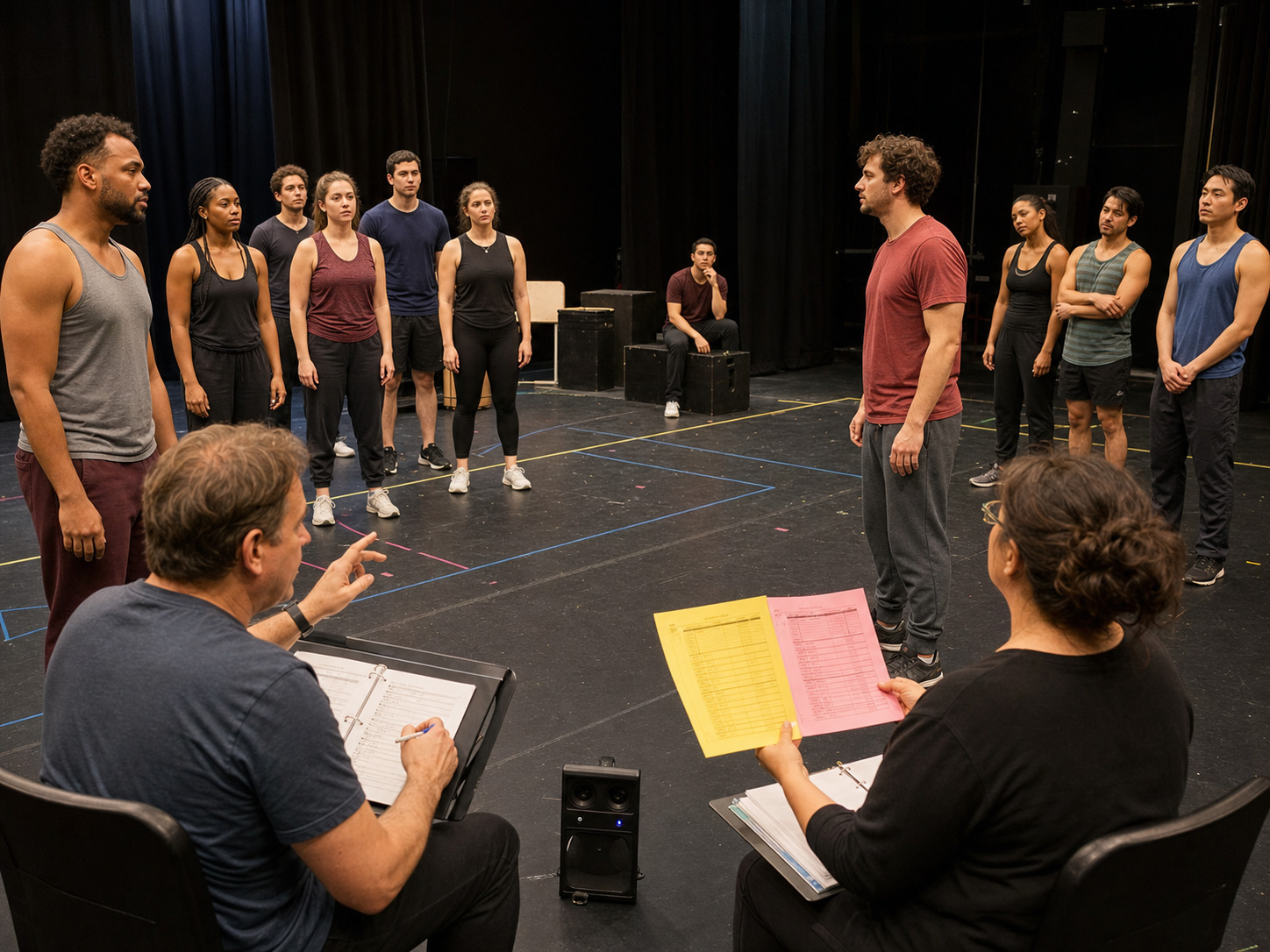
Rehearse every cast-specific handoff
A different key or cut can change what happens around the track.
For each alternate, run:
- the spoken line or movement that triggers playback;
- the complete introduction;
- the performer's first entrance;
- the point where the alternate differs;
- choreography through that change;
- the ending;
- and the next line, light, scenic move, or sound cue.
Do not approve an alternate from headphones alone. It has to work in the room with the staged production.
Give the playback operator one cast selector
The operator should not decide cast identity cue by cue.
Before the call, set one visible show state: Cast A or Cast B. The cue list should then resolve every alternate consistently.
Verify:
- the cast state at preshow check;
- every cast-specific cue in show order;
- the first alternate before the house opens;
- the final alternate before curtain call;
- and the matching backup system.
If the playback software cannot manage alternate versions safely, use one approved show folder for that performance and build it from the comparison map. Archive it after the performance; do not treat it as a new source folder for future revisions.
Plan for a cast switch without inventing a third version
Illness or scheduling may create a mixed performance: most of Cast A with one role covered by a Cast B performer.
Do not automatically switch the whole show to Cast B files.
Instead, identify:
- which cues involve the covered role;
- whether that performer can use the scheduled cast's shared file;
- which approved alternate is actually required;
- how the alternate affects scene partners, choreography, and technical cues;
- and whether there is enough rehearsal time to verify the mixed configuration.
Record the mixed-show cue list as a bounded performance plan. Do not create unapproved edits at the last minute.
Keep both casts on the same revision clock
When a shared track changes, both casts need the replacement.
Use this sequence:
- Record the problem against the cue and current file.
- Decide whether it affects both casts or one cast.
- Approve the exact revision.
- Deliver the new file outside every active show folder.
- Verify filename, key, duration, and requested change.
- Update the comparison map.
- Load the file on primary and backup systems.
- Rehearse the affected cue with every cast that uses it.
- Remove the superseded version from active folders.
If only Cast A heard the new shared ending, it is not a shared approved ending yet.
Build rehearsal packets that teach the right version
Each cast packet should include:
- the shared cue map;
- cast-specific alternate list;
- accompaniment files for current rehearsal work;
- separate guide vocals when available;
- key and cut notes;
- entrance and ending landmarks;
- rehearsal dates when each version becomes active;
- and the person who owns revision questions.
Guide vocal tracks can help performers learn melody and form, but move to accompaniment-only files before technical rehearsals. Both casts need to own their entrances without following a recorded teaching voice.
Double-cast backing-track checklist
- Build one shared production map.
- Store identical cues once as shared files.
- Create alternates only for confirmed needs.
- Name every alternate by cue, cast, and use.
- Keep guide vocals out of performance folders.
- Compare the complete staged moment before requesting a revision.
- Rehearse every alternate from trigger through handoff.
- Set one cast state before each call or performance.
- Plan mixed-cast coverage from existing approved files.
- Put both casts on the same revision clock.
- Load and verify matching files on the backup system.
- Confirm that proposed show changes fit the production's approved rights and materials.
FAQ: double-cast musical backing tracks
Does each cast need its own complete track folder?
Usually not. Keep one shared folder for identical files and a small alternate folder for approved differences. Maintain one comparison map so every version stays synchronized.
Can two leads perform a song in different keys?
The recording can be prepared in different keys when the musical need is confirmed, but the production must also confirm that the key change is allowed under its show license and approved materials.
Should Cast A and Cast B rehearse together?
Use joint calls for shared form, ensemble work, choreography counts, cue language, and file-map changes. Use separate calls for role work and genuine cast-specific differences.
What happens when one performer crosses into the other cast?
Build a performance-specific cue list from existing approved shared and alternate files. Change only the cues that the coverage actually requires, then rehearse their entrances and handoffs.
Who approves a cast-specific track alternate?
Use the production's named music and production leadership. The request should identify the cue, cast, current file, exact need, permitted change, delivery deadline, and rehearsal that will verify it.
The takeaway
Build shared and cast-specific performance files around confirmed keys, cuts, tempos, lead-ins, vamps, cues, and endings—then rehearse every alternate from trigger through handoff.
Build Double-Cast Track AlternatesDouble casting works when the production shares everything it can and labels every necessary difference.
Keep one show map, isolate cast-specific alternates, rehearse their handoffs, and synchronize every revision. Two casts can bring different performances to the stage without creating two incompatible playback systems.