A Small Live Pit and Backing Tracks Need One Musical Plan
By Broadwaytrax Content Studio · September 17, 2026
Updated September 17, 2026
The short answer: backing tracks can work with live musicians in a musical, but the production has to decide exactly which musical jobs belong to the recording and which belong to the pit. If both sides cover the same part, wait for the other to lead, or follow different versions, the room gets crowded fast.
A hybrid pit works best as one arrangement, one cue system, and one rehearsal plan. List the live instruments, name what remains in the track, mark every flexible handoff, and let the conductor, stage manager, musicians, and playback operator test the same approved files before tech.
Start with the sound the production actually has
Do not begin with an abstract question such as “Can we add a violin?” Begin with the people, instruments, room, and playback system that will actually be present.
Write down:
- every live player and instrument;
- whether a keyboard will cover more than one sound;
- which orchestral colors must remain in the recording;
- whether the conductor can see both the players and the stage;
- who operates playback;
- and how the musicians will hear the track.
That list is the real pit. It may be a pianist and drummer with recorded strings and brass, a few acoustic players supported by a fuller track, or one featured instrument joining an otherwise recorded accompaniment. Each setup can work, but it needs a different balance and rehearsal plan.
Broadwaytrax (custom production services) include flexible instrumentation and orchestration choices. Describe the actual players you have instead of asking for a generic “pit version.”
Give every musical layer one owner
The most common hybrid-pit problem is duplication. A live drummer and a full recorded drum part can fight for the same pulse. A keyboardist may double a recorded piano without sharing the same articulation. A violinist may play a line already prominent in the track, making the melody unexpectedly heavy.
Build a simple ownership map before rehearsal:
| Musical job | Live, recorded, or shared? | What the room follows |
|---|---|---|
| Basic pulse | One clear owner | Conductor and cast follow the agreed source |
| Harmonic support | Named instrument or track layer | Music director balances the texture |
| Featured line | Live player or recording | One version remains prominent |
| Cue or pickup | Conductor, stage manager, or playback | One visible or spoken trigger |
| Flexible transition | Live bridge, vamp, or separate cue | Written exit and restart plan |
“Shared” should never mean “we will decide in the moment.” It means the live and recorded parts were designed to reinforce one another and rehearsed at the same tempo, phrasing, and level.
Decide where time is fixed and where it can breathe
Once a normal audio file begins, its timing is fixed. Live musicians can breathe with a singer, wait under dialogue, or stretch a transition. That difference is useful only when everyone knows where the handoff occurs.
Mark every place that needs flexibility:
- a spoken line before the downbeat;
- a singer-led rubato phrase;
- a fermata or held chord;
- a vamp that waits for scenery or choreography;
- an applause hold;
- or a transition from live underscoring into recorded accompaniment.
Then choose a practical design. The track might start after the flexible moment, the live pit might bridge two separate files, or a prepared vamp might continue until a named exit cue. Broadwaytrax’s guide to (conducting a musical with backing tracks) explains the fixed-time and flexible-time distinction in more detail.
Avoid writing “follow conductor” beside a continuous recording that cannot wait. The note sounds reassuring but does not describe what the file will do.
Rehearse the rhythm section first
When a hybrid setup includes piano, bass, guitar, or drums, begin with the players who establish pulse and harmony. Let them hear the exact track through the real monitoring path before adding the cast.
Run short sections and check:
- Can every player hear the recorded pulse without excessive volume?
- Is a live instrument duplicating a recorded part in a distracting way?
- Do count-ins, pickups, and endings agree?
- Does the conductor give a preparation the musicians can use before a fixed downbeat?
- Can the operator restart from a named musical landmark?
If the live drummer is slightly ahead while the recorded percussion stays fixed, adding more cast will not solve the disagreement. Isolate the source, decide which layer owns the pulse, and change the arrangement or monitoring plan before continuing.
Let the live instruments add something the track needs
A live player is most useful when the role is intentional. The instrument might carry a featured solo, support exposed singers, provide flexible underscoring, connect two recorded cues, or give the conductor control at a moment that cannot be fixed.
Ask what changes when the player joins:
- Does a live reed or string add a character color that the scene can hear?
- Does the pianist need to cover dialogue and then hand off to the track?
- Can live percussion reinforce choreography without doubling every recorded hit?
- Does the instrument need its own microphone or monitor?
- Should part of the recorded orchestration be reduced so the player has room?
More sound is not automatically a fuller pit. A hybrid arrangement feels convincing when the audience hears one musical intention rather than separate live and recorded performances stacked together.
Build the cue sheet around handoffs
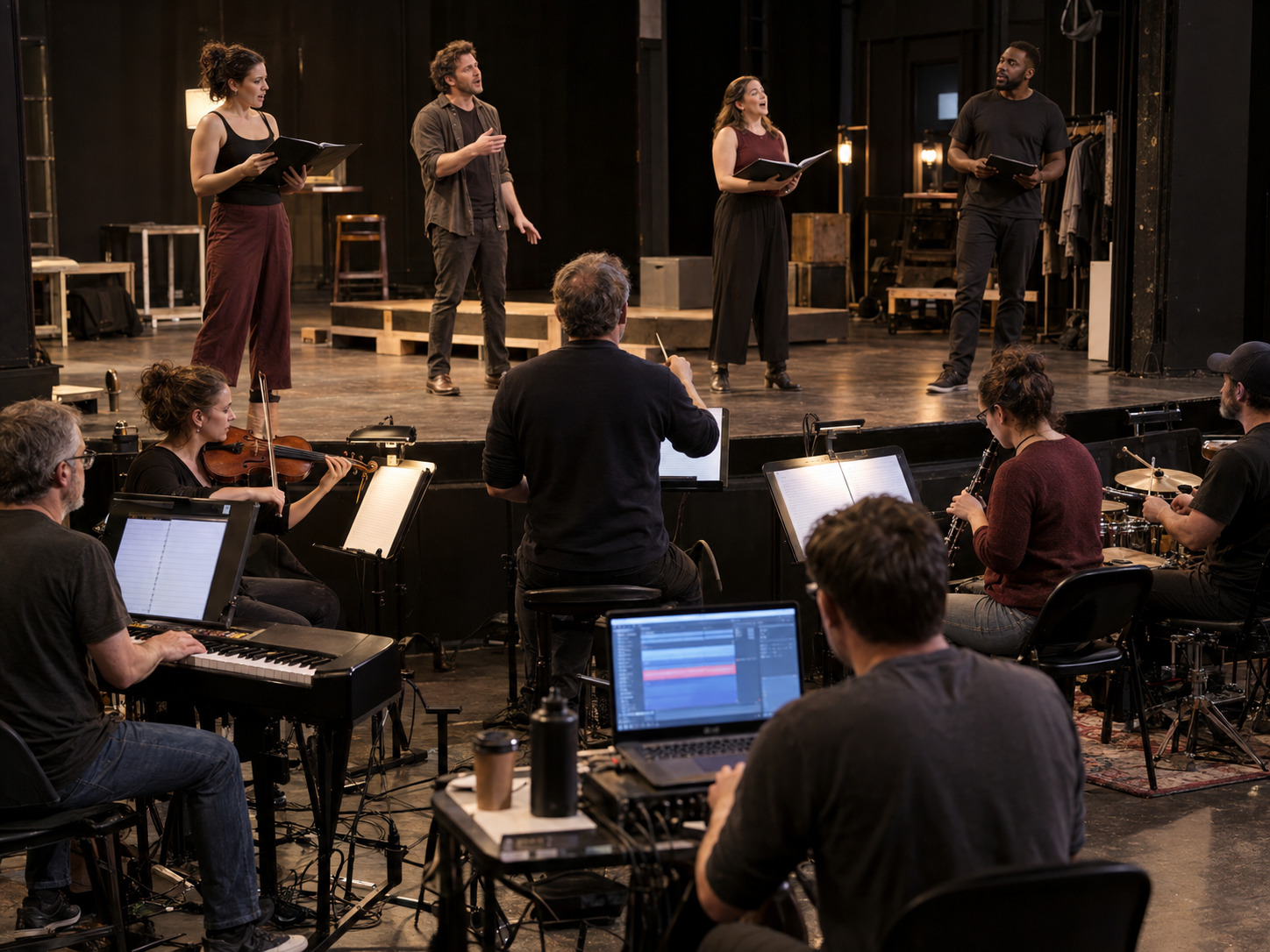
A normal track cue sheet lists the file, start trigger, ending, and next event. A hybrid cue sheet also needs the live-to-recorded relationship.
For every cue, record:
- the approved filename and version;
- the live instruments involved;
- who gives the start;
- what the conductor prepares;
- whether the pit is already playing before playback begins;
- the first shared downbeat;
- any vamp, stop, or live bridge;
- the ending and next stage action;
- and one safe restart point.
Use plain musical language. “Playback starts after the pianist’s held chord on the stage-manager GO” is more useful than “track comes in later.”
Keep the (sound operator’s track cue sheet) beside the conductor’s score and the stage-management calling script. The documents do not need identical detail, but they must describe the same event.
Sound-check the blend from the house
Musicians may hear a balanced pit while the audience hears mostly playback. The opposite can happen when one amplified live instrument sits on top of the mix.
Listen from several audience positions while the cast sings. Check:
- whether lyrics remain clear;
- whether the live players sound connected to the recorded room;
- whether low frequencies become crowded;
- whether an exposed instrument suddenly disappears when the full track enters;
- and whether monitor volume creates delay or spill onstage.
Change one layer at a time. Lowering the track, adjusting one live microphone, or revising one doubled part gives the team useful evidence. Moving every fader at once hides the cause.
Know when the file needs to change
A balance adjustment cannot fix every orchestration problem. Consider a custom version when the production needs a recorded part removed or reduced, a live-player bridge, a different instrumentation plan, a new cue boundary, coordinated tempo work, or a full-show set of files that must stay consistent.
Bring a clear request:
- the show and song;
- the exact live instruments;
- the source materials available;
- the current track or reference;
- the bars or cue points affected;
- what the staging needs;
- and when the cast must begin using the approved version.
The custom project page can scope a single song, coordinated full-show work, or a production built around flexible instrumentation. Confirm performance rights and any permitted changes with the appropriate publisher or licensing source separately; a playback plan does not replace the show’s rights process.
Hybrid-pit rehearsal checklist
- List every live instrument and every recorded layer that matters.
- Give pulse, featured lines, and cue decisions clear owners.
- Mark fixed-time and flexible-time sections.
- Test the rhythm section with the exact playback file first.
- Route monitoring so musicians can hear without overpowering the stage.
- Rehearse every live-to-track handoff and one restart.
- Give the conductor, stage manager, and operator matching cue language.
- Check the blend from the audience area with singers present.
- Keep old test files outside the performance folder.
- Request orchestration or cue changes while the cast can still rehearse them.
Common questions about backing tracks and live musicians
Can a musical use backing tracks and a live pit at the same time?
Yes. The production needs an arrangement that separates or coordinates the live and recorded parts, plus monitoring and cueing that keep both sides together.
Does the conductor follow the track or lead the musicians?
Both responsibilities can exist, but priority must be explicit. In fixed recorded passages, the conductor prepares and leads people inside the track’s pulse. In flexible live passages, the cue plan must explain when playback waits, stops, or resumes.
Should a live instrument double the same part in the recording?
Only when the duplication is intentional and balanced. Otherwise, two slightly different attacks, articulations, or levels can make the part less clear.
What should we send when requesting a hybrid-pit custom track?
Send the live instrumentation, source materials, song list, required keys or cuts, cue and flexibility needs, and the rehearsal date when the final files must be in use. Specific production facts are more useful than asking for “less orchestra” or “more live sound.”
The takeaway
Tell Broadwaytrax which instruments will be live, which musical layers need to remain in the track, and where the show needs flexible cues. The team can help scope one song or a coordinated full-show plan.
Plan a Hybrid-Pit TrackThe best hybrid pit does not make the audience choose between musicians and playback.
Give every layer a job, design the flexible handoffs, rehearse the rhythm and cue system early, and listen from the house. When the live players and the track share one plan, the cast gets the consistency of recorded accompaniment and the musical presence of people in the room.