A Backing-Track Revision Should Prove One Change at a Time
By Broadwaytrax Content Studio · September 9, 2026
Updated September 10, 2026
The short answer: approve a musical-theater backing-track revision by testing the exact change it was built to make, then checking that the rest of the file still matches the production’s approved version.
A revised track can solve a real problem—a key that fits the singer, a cut that matches the scene, a tempo that supports choreography, or an ending that lands on the blackout. It can also create a new problem if the team listens only for the requested edit and misses a changed entrance, old filename, wrong export, or broken handoff.
The safest review is narrow enough to hear the change clearly and wide enough to prove that it still belongs inside the show.
Start with one revision question
Before anyone presses play, finish this sentence:
This revision should change ___ so that ___ can happen in rehearsal or performance.
Useful answers are specific:
- Lower the song one whole step so the performer can sing the final phrase after the full choreography.
- Remove the second chorus so the audition cut ends within the required time.
- Extend the dance break by eight counts so the company can complete the approved transition.
- Add a two-bar lead-in so the actor can hear the key after the spoken cue.
- Replace the fade with a button so the music lands with the blackout.
If the team cannot name the musical change and the production reason, it is not ready to approve the revision. “This feels better” may be a useful first reaction, but it is not yet a test someone else can repeat.
Keep the original and the request beside the revision
Reviewing from memory invites confusion. Put three things in the same folder before listening:
- The approved source file the revision was built from.
- The consolidated revision request.
- The new file being reviewed.
The request should identify the track, current version, exact change, musical landmark, use case, and person who can approve it. If a score reference or timestamp was supplied, keep that reference with the review notes.
If the request is still split across emails or rehearsal notes, use the (custom track request notes guide) to combine the key, cut, tempo, cue, and production reason before the revision is reviewed.
Do not replace the approved file in the live show folder yet. A candidate revision should remain outside the performance package until the review is complete.
Check the file before checking the music
A few technical checks can prevent a musical review of the wrong export.
Confirm:
- the filename identifies the song or cue and revision;
- the file opens from beginning to end;
- the duration is plausible for the requested edit;
- the file format matches the production’s playback plan;
- the key and version label match the request;
- the first and last seconds are not clipped;
- and the file contains accompaniment only, guide vocal, or other rehearsal support exactly as requested.
This first pass should take minutes, not a rehearsal. Its job is to catch the obvious mismatch before the singer, director, choreographer, or operator spends time testing it.
Listen across the changed moment
Do not audition a revision by jumping directly to one second of audio. Start far enough before the change to hear how the music arrives, and continue far enough after it to hear how the next phrase or cue inherits the edit.
For a cut, listen to the phrase before the join, the join itself, and the complete phrase after it. For a tempo change, hear the approach, the transition, and the first stable section at the new pace. For a new ending, include the final vocal phrase and the next staged event. For a lead-in, begin with the real spoken or visual cue.
Use a simple comparison table:
| Revision | What to test before it | What to test after it |
|---|---|---|
| Key change | Spoken pickup, breath, first note | Highest and lowest phrases, ending |
| Cut | Last complete thought before the edit | First lyric, chord, or action after the join |
| Tempo change | Established pulse and performer setup | Choreography, diction, breath, transition |
| Lead-in | Cue owner and starting action | First entrance and opening phrase |
| Vamp | Entry into the repeated section | Exit cue and continuation |
| Button or fade | Final lyric and visual event | Applause, blackout, dialogue, or next cue |
The goal is not only to ask whether the edit exists. It is to ask whether the production can use it without discovering a new surprise on either side.
Test the reason, not just the sound
Headphones can confirm clean audio. They cannot prove that a staging revision works.
Bring the right person and condition into the test:
- A key change needs the intended singer performing the complete difficult passage.
- A cut needs the scene, lyric, or audition thought to remain understandable.
- A tempo change for choreography needs the actual movement at realistic effort.
- A lead-in needs the actor in the real starting position with the actual cue.
- A vamp needs the cue owner, operator, and exit action.
- An ending needs the blackout, pose, applause risk, or dialogue pickup it was built to support.
If the change was requested because of fatigue, costume, movement, room acoustics, or a technical handoff, recreate that condition as closely as the schedule allows. A singer proving a lower key while standing still may not answer a problem that only appeared after a dance sequence.
Compare only one candidate at a time
Five unlabeled revisions do not create five useful choices. They create an audition for the file rather than a decision about the production.
If alternatives are genuinely needed, label the question each version answers:
Option_A_FMajor_clean_buttonOption_B_FMajor_two_count_release
Then compare them against the same scene and approval criteria. Do not mix unrelated changes into each option. If one version changes the key, cut, orchestration, and ending at once, the team may like it without knowing which choice solved the problem—or which choice created the next note.
Whenever possible, approve one connected change set, document the result, and then move to the next unresolved issue.
Consolidate notes through one approver
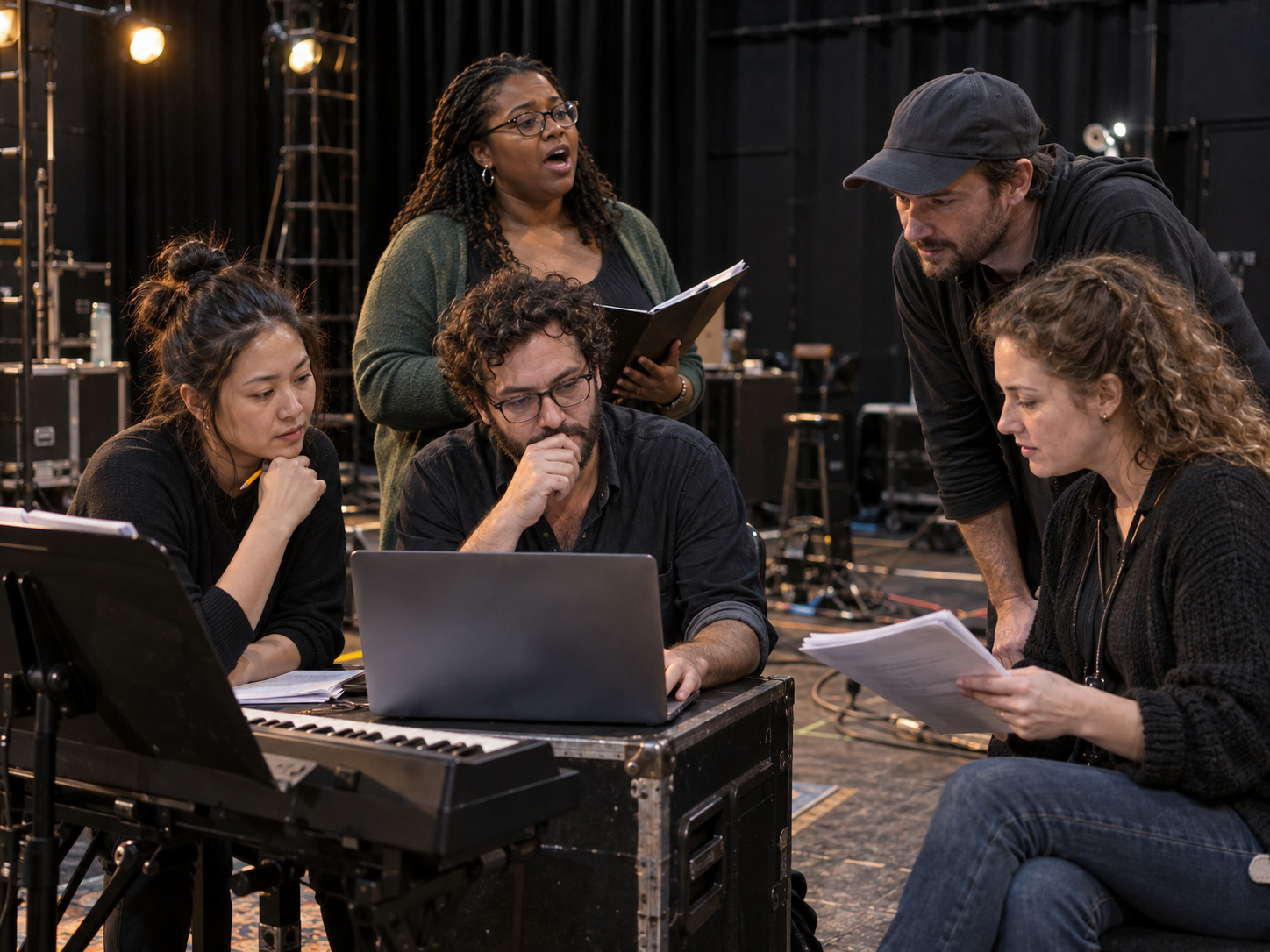
The director may hear the dramatic shape. The music director hears the vocal and score relationship. The choreographer feels the count. The stage manager and operator see the cue. All of those observations matter.
They should still return to the producer as one revision response.
Name one person to collect notes and classify them:
- Approved: the requested change works and the file can move toward the show package.
- Revision needed: one repeatable problem remains, with an exact landmark and desired result.
- Production adjustment: the file is correct; staging, cueing, balance, or performance needs attention.
- New request: the team is asking for a different creative change that was not part of this revision.
This prevents a completed edit from remaining permanently open because three collaborators send three differently worded reactions.
Use notes another producer could act on
Good revision notes connect evidence to action.
Instead of:
- “The middle is weird.”
- “Can it breathe more?”
- “The ending still does not work.”
Write:
- “At the cut after the lyric ‘___,’ the first chord of the next phrase arrives before the actor reaches center. Add two counts before that chord without changing the established tempo.”
- “From 1:18 through 1:34, keep the current opening tempo, then broaden the final four bars so the singer can release with the conductor.”
- “The final chord now lands correctly, but it rings under the next line. Shorten the release so the dialogue begins in clear space.”
Use only score, lyric, timestamp, cue, and staging references the production is authorized to share. A clear note does not require a private recording or a long explanation when a precise musical landmark will do.
Approve the complete export
Once the changed moment passes, listen to the complete candidate at least once. This is the regression check: proving that the rest of the file still behaves as expected.
Confirm:
- the introduction and first entrance;
- the requested key, cut, tempo, rubato, cue, or orchestration change;
- every transition around the changed section;
- the complete ending;
- overall level and clean playback;
- and whether the rehearsal or performance version contains the correct vocal support.
Then run the most important production sequence without stopping. A revision that works only when the room prepares for it in isolation may still fail when it arrives inside the show.
Move the approved revision into the show safely
Approval is not finished until the correct file reaches every place that depends on it.
Use this handoff:
- Mark the revision approved with the approver and date.
- Give it a plain final filename tied to the cue and version.
- Update the cue sheet and show-order playlist.
- Load the same file on the primary and backup playback systems.
- Replace rehearsal copies where the cast must learn the new structure.
- Remove or archive the superseded file so it cannot be chosen accidentally.
- Tell affected performers and operators exactly when the new version becomes active.
- Run the changed cue once from its real starting condition.
Do not call a file “final” while an older version remains beside it in the active folder.
FAQ: approving custom backing-track revisions
Who should approve a musical-theater backing-track revision?
Choose one production contact with authority to consolidate input and approve the musical version. The exact role may be the music director, director, producer, or another named leader.
Should we review a revision on headphones or speakers?
Use both when practical. Headphones help reveal joins, clipping, and small audio details. The rehearsal or performance system proves entrances, balance, movement, cues, and handoffs in the room.
How many revisions should we compare at once?
Compare only the alternatives needed to answer one defined production question. Clearly label what differs. Avoid several versions that each change multiple unrelated things.
When is a revision ready for performance?
It is ready after the exact requested change, the surrounding music, the complete export, the real production condition, the cue sheet, and the primary and backup files have all been verified.
Does changing a track authorize changes to the musical?
No. Custom audio work and permission to alter or perform copyrighted show material are separate questions. Confirm permitted changes and performance rights with the appropriate rights holder or licensing agency.
The takeaway
A strong revision review is a controlled proof, not a search for a feeling.
Send Broadwaytrax one consolidated brief for the key, cut, tempo, rubato, lead-in, cue, orchestration, or ending your production needs. Then review the candidate against the exact moment it was built to solve.
Start a Custom Track ProjectName the change. Keep the source and request beside the candidate. Test the musical moment in context. Recreate the production reason. Consolidate notes through one approver. Then verify and distribute one clearly labeled final file.
That process gives the singer, director, stage manager, and playback operator the same answer: this is the version the show can trust.